


With the help of the following steps, you will be able to configure Groupboss with Benchmark.
Benchmark Email is a great email marketing platform that helps you to nurture your leads nicely.
You can now collect email addresses from your Facebook group members using Groupboss and sync those to Benchmark Email automatically.
Let’s see how to do that.
⦿ Go to the Groupboss Chrome extension and sign in to your account.
⦿ Select the Facebook group from your Group list. Then go to Autoresponder and select ‘Benchmark Email’ and click on ‘+’.

⦿ Then you will need the 'API Key' and 'List ID.' To get all those, sign in to your Benchmark Email account.

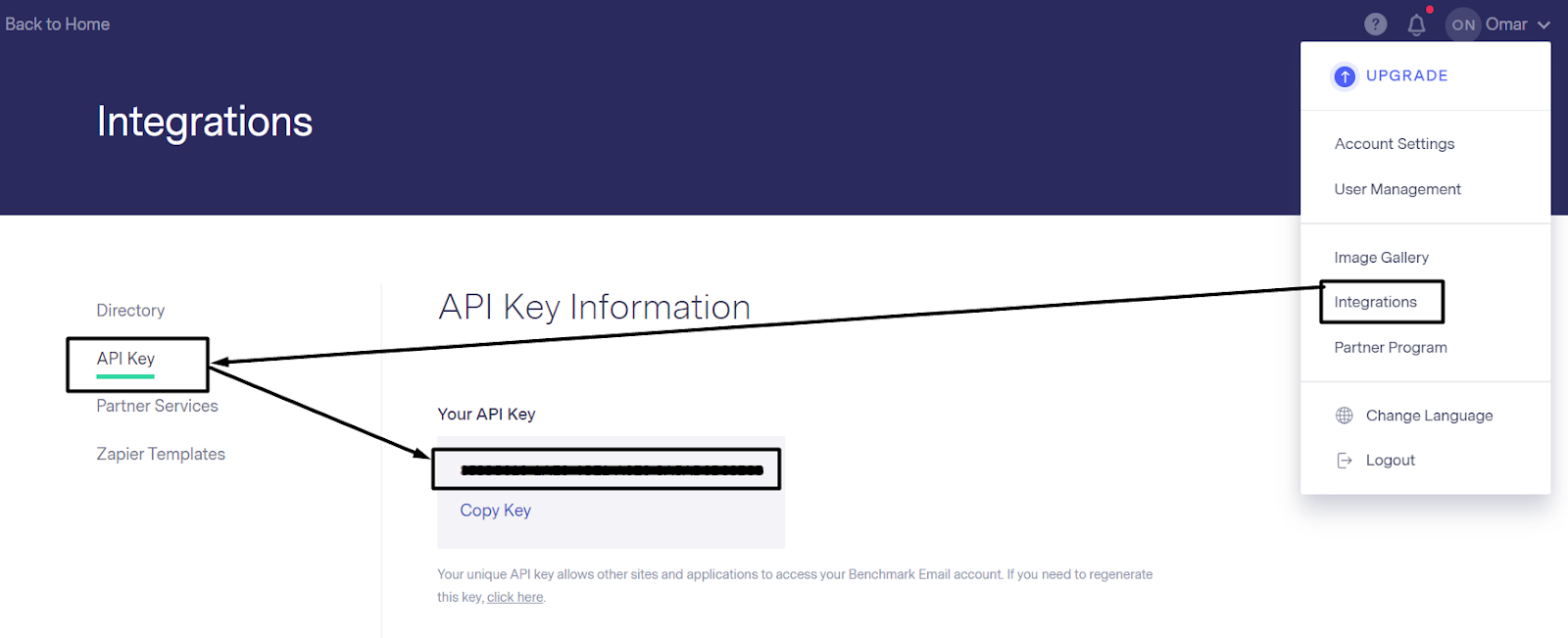
⦿ In your Benchmark Email account, Go to the 'Integrations' and 'API section.' Then you will find the 'API key option.' Just copy the 'API key' and paste it into the Groupboss Chrome extension.
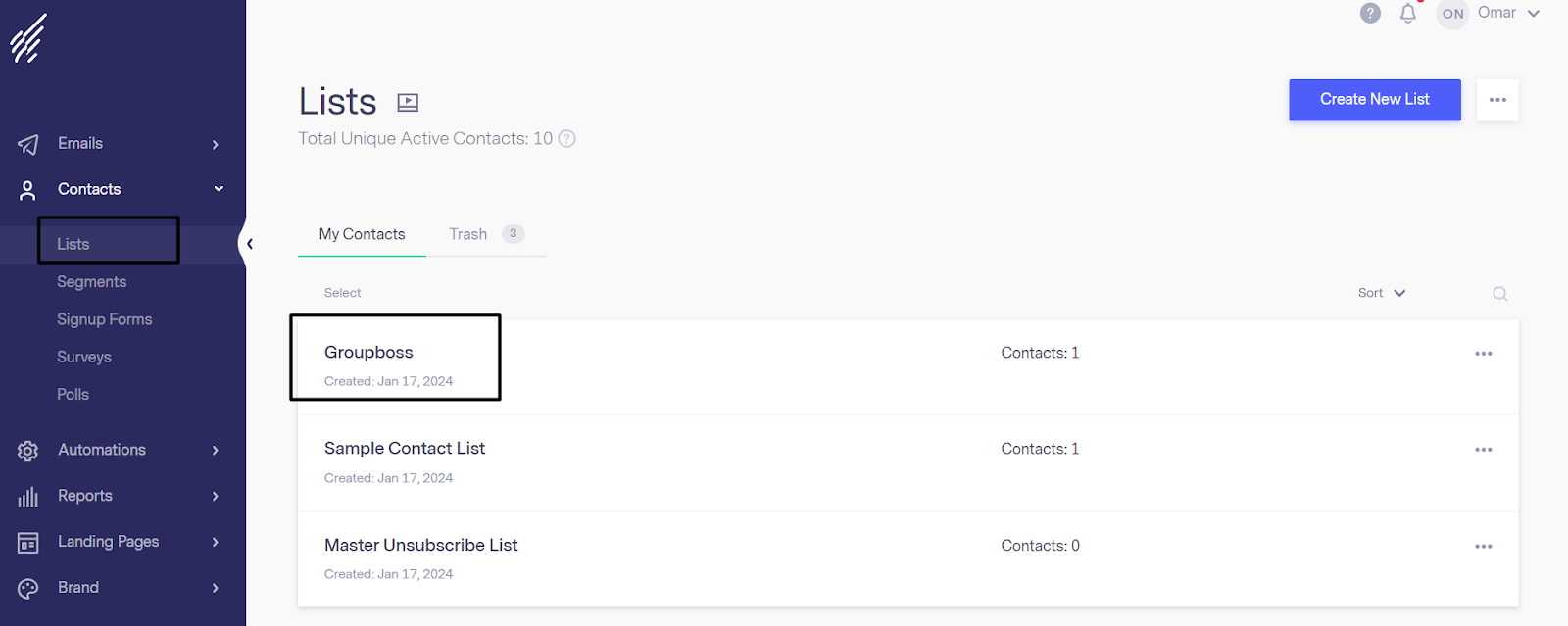
⦿ Now you need the 'List ID.' Go to the 'Lists section' under the 'Contacts' option of your Benchmark email. There you will find all your available lists. You can create a new one or use an existing one.
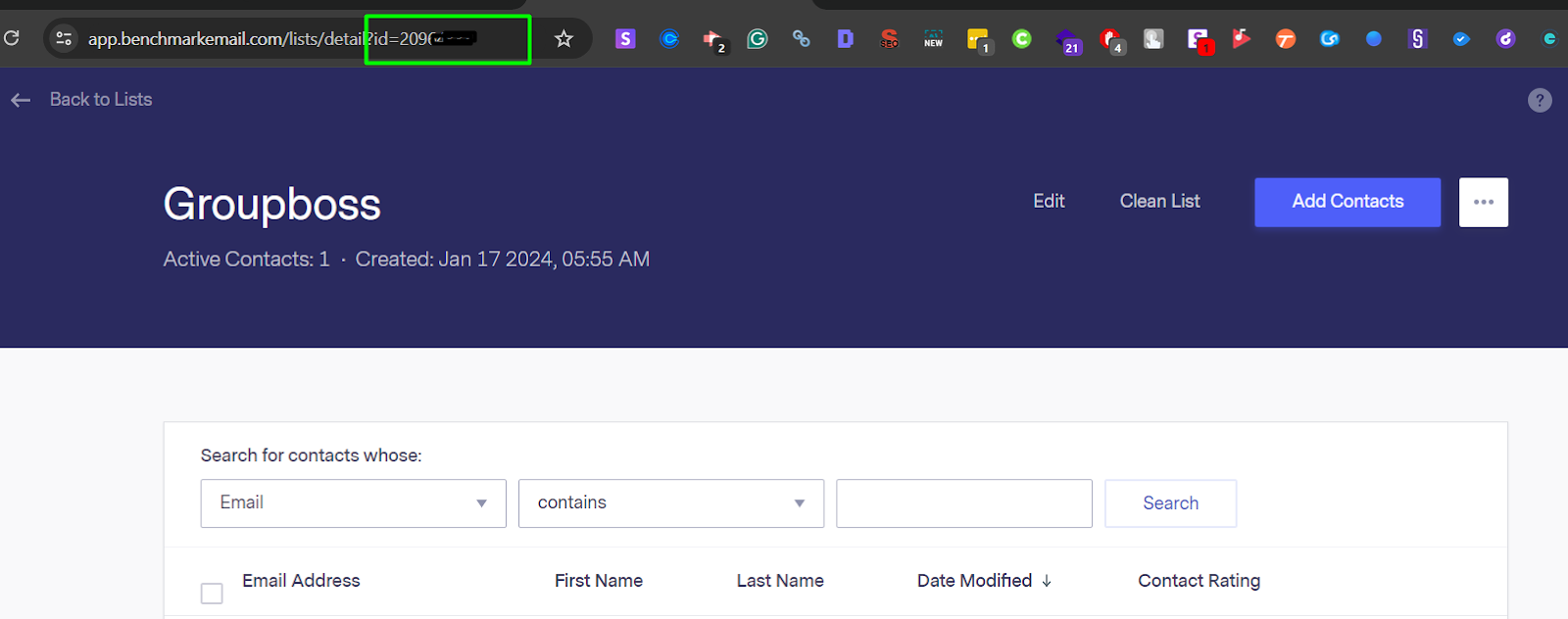
⦿ Once you click on the list, your 'List ID' will be in the 'URL.' Now copy the List ID and paste it into the Groupboss Chrome extension.
⦿ Now, you have all the information you need to configure this integration. Now click Save, and your integration will be configured successfully.

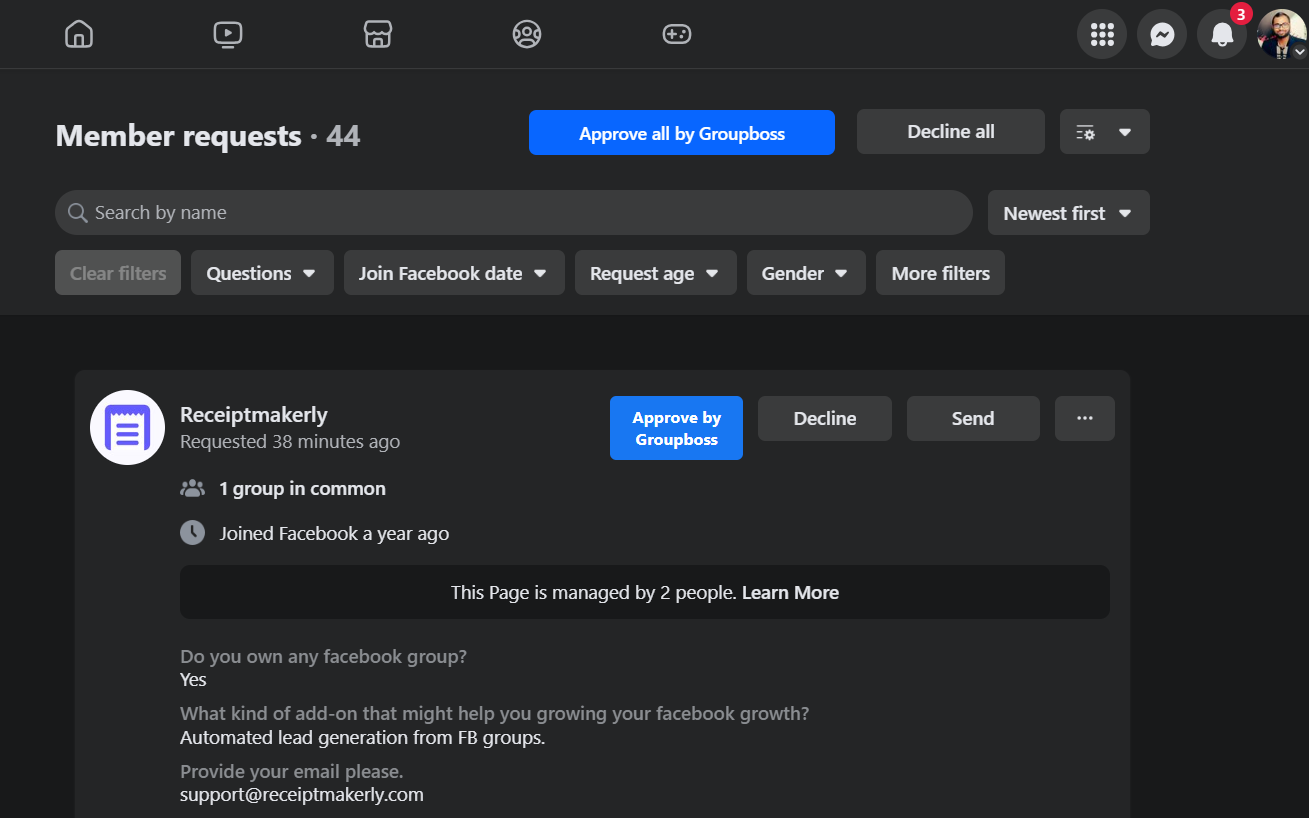
⦿ Go to your Facebook group and approve the pending requests by clicking on 'Approve by Groupboss' or 'Approve all by Groupboss.'
⦿ After approving the requests, refresh the list you created in your Benchmark Email account. You will get the members' emails whose requests you have approved there.
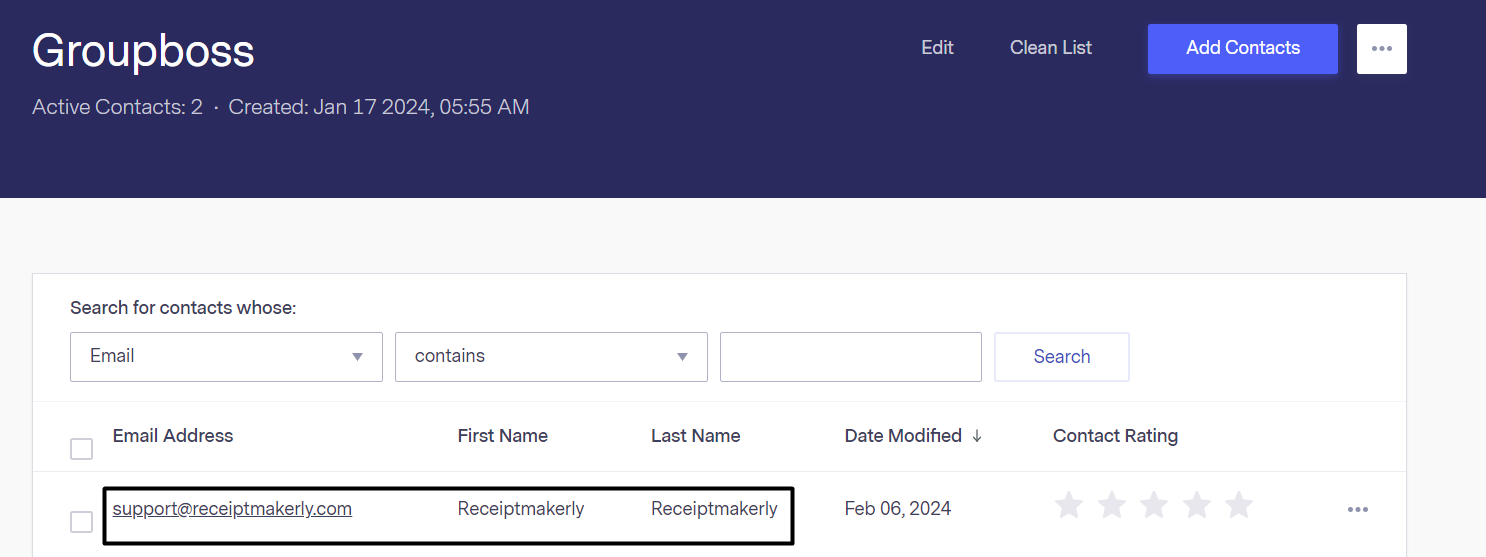
This is how you can integrate Benchmark with Groupboss.