

With the help of the following steps, you will be able to do the integration of Groupboss with GoHighLevel.
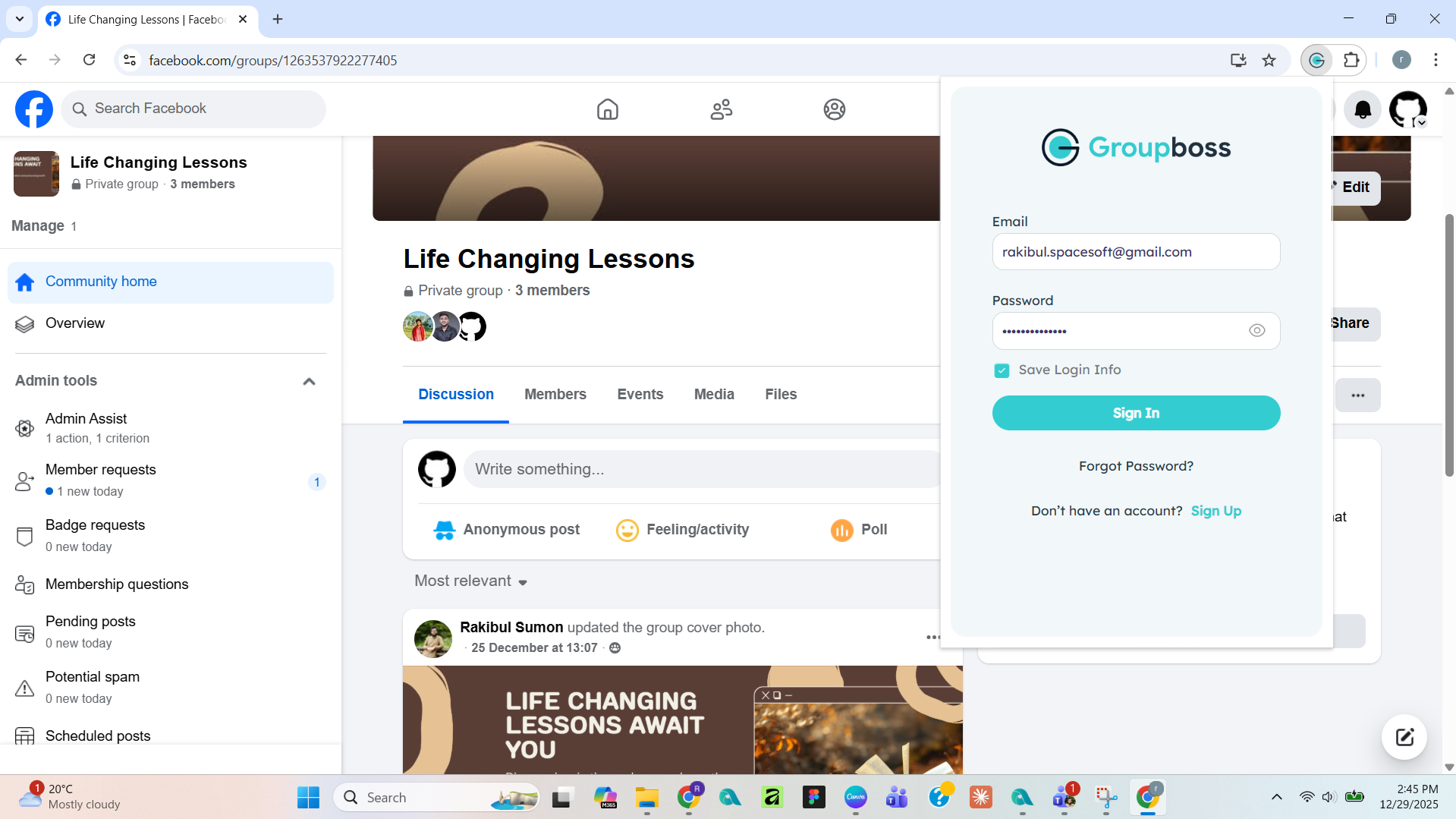
- Go to the Groupboss Chrome extension and sign in to your account.
2. Select the Facebook group from your Group list. Then go to ‘Autoresponder’ and select ‘GoHighLevel API V2’ and click on '+'.
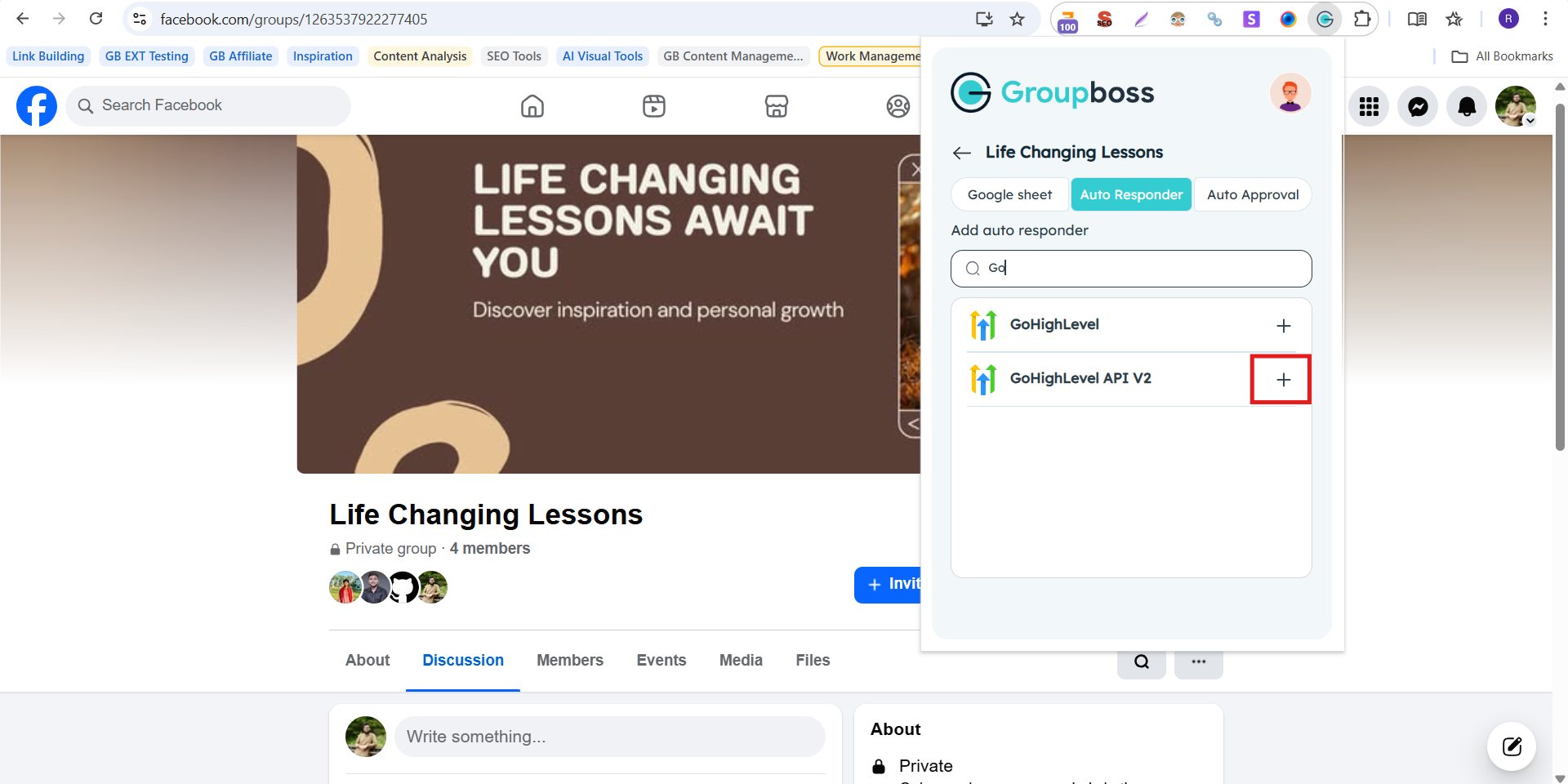
No, you need ‘Access Token’, 'Location ID' and ‘Tag Name’ for the integration. To get all those, sign in to your GoHighLevel account.
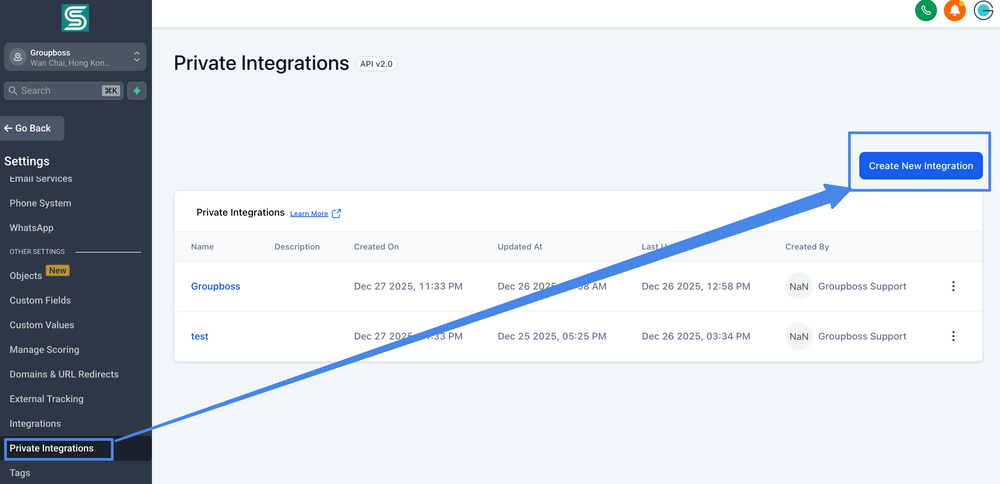
3. In your GoHighLevel account, go to the ‘Settings’ option in the left sidebar. You will find 'Private Integration' option. Click on that option. The Private Integration page will be open. Click on "Create new integration" button to create new integration credentials.
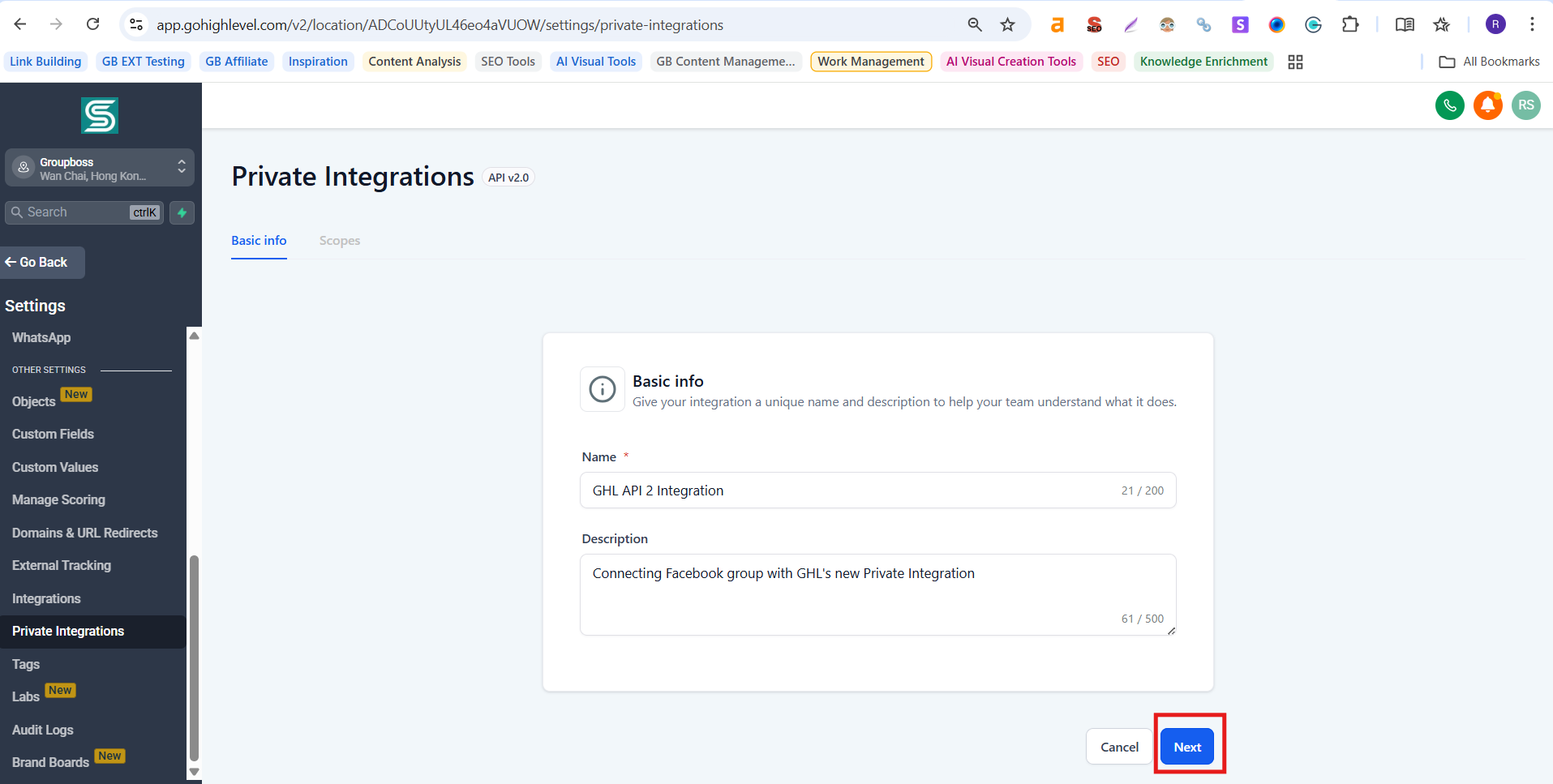
4. You will be landed on the "Basic info" page. Input a Name and description for the integration. Now, click "Next".
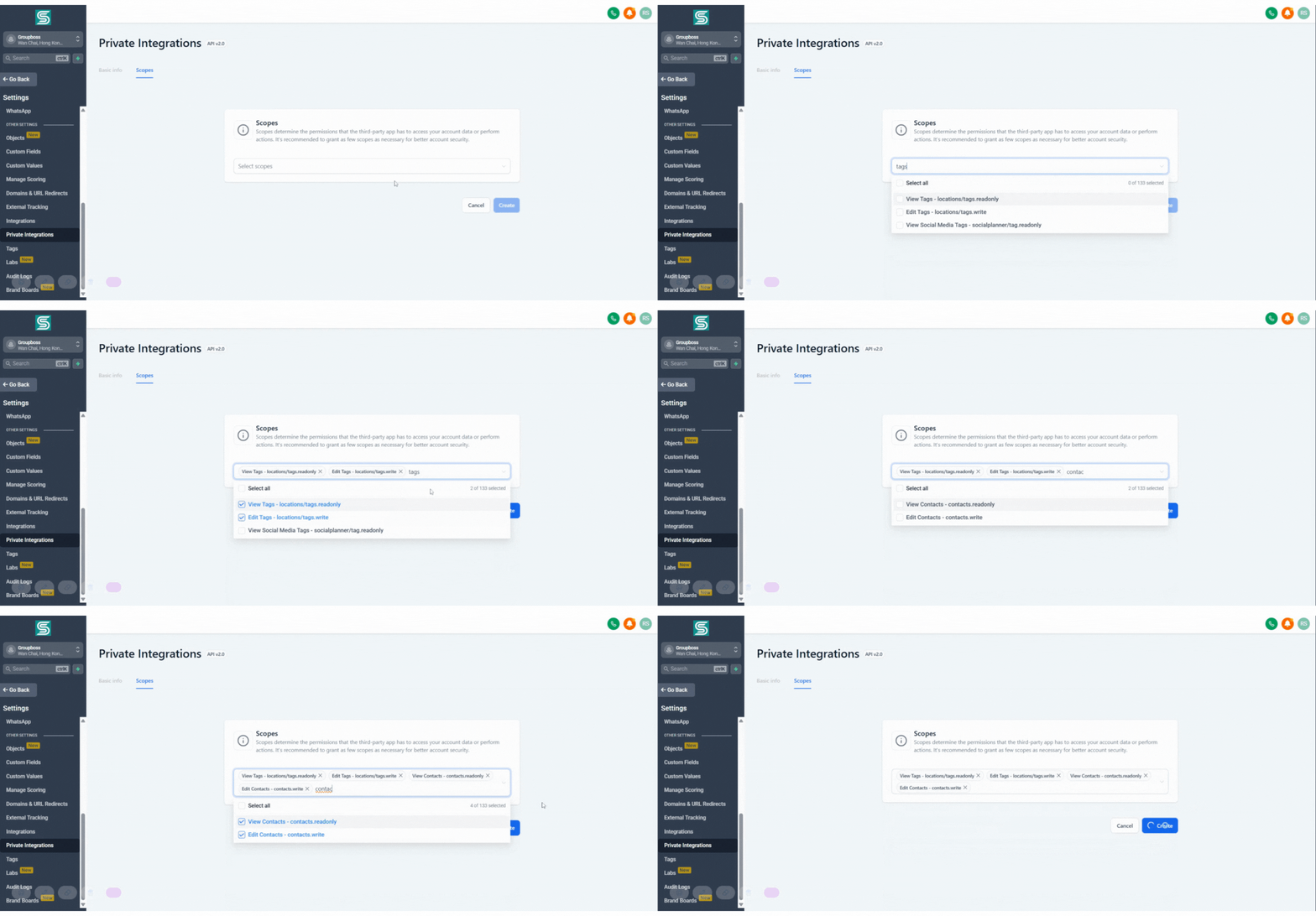
5. Now, you need to select "Scopes" (permissions to grant third-party app to access your account) for the integration. You need to grant two permission at least, "View" and "Edit" for "Tags" and "Contacts".
Now click on the "Create" button.
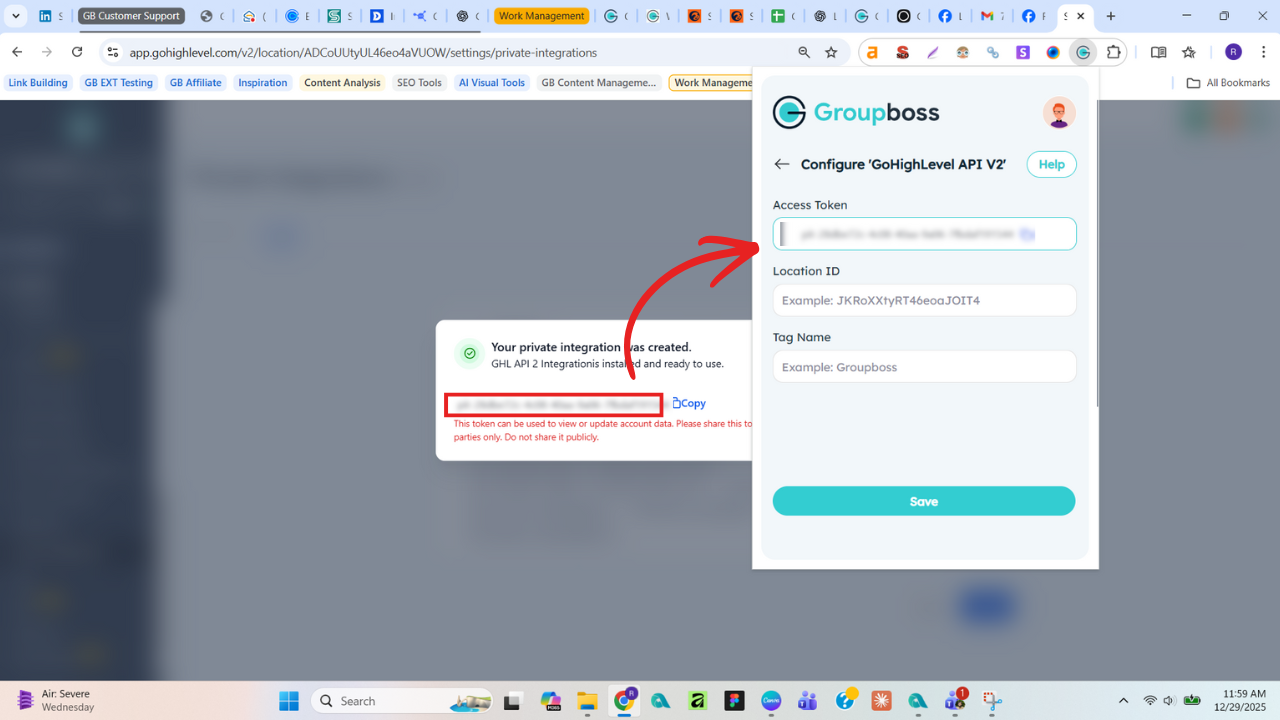
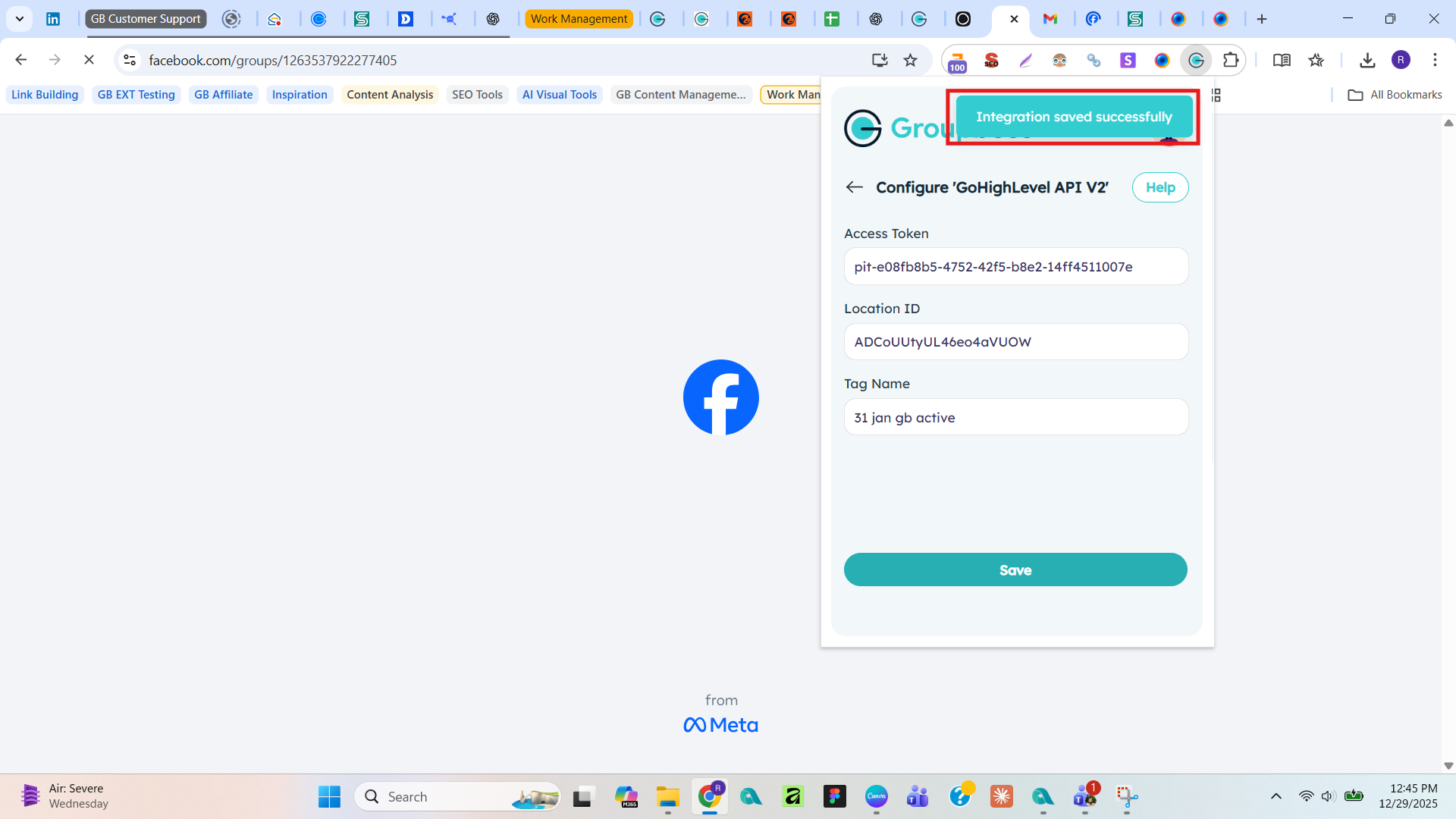
6. As you have created the access token, copy the Access token and paste into the Groupboss Chrome Extension.
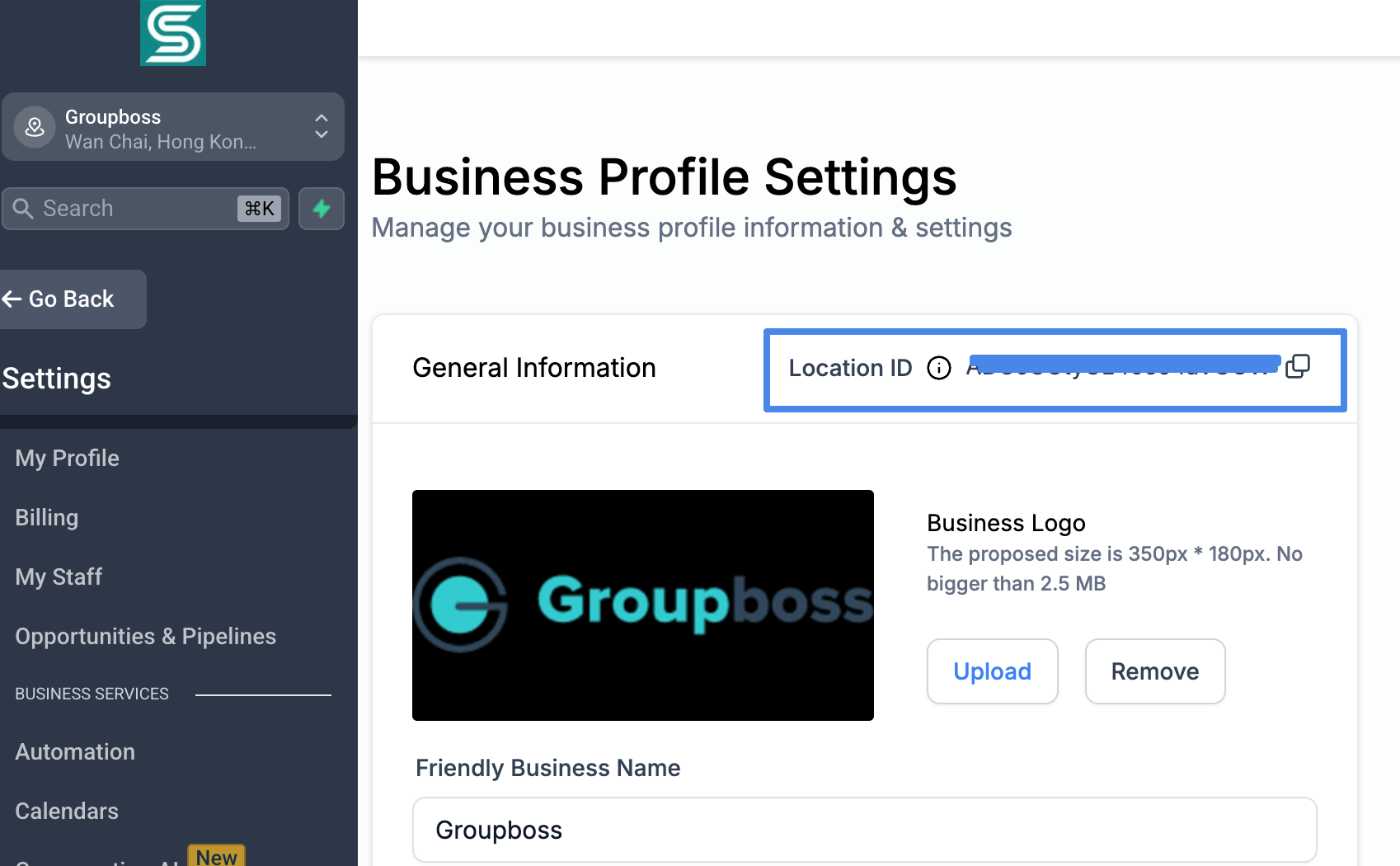
7. Next, you will find the "Location ID" at the top of the Settings page. Copy that and paste into Groupboss Chrome Extension.
8. Now you need the "Tag." You can create a tag or use and existing one. Scroll down the leftsidebar and click on the "Tag" option. If you have existing Tag, or created a new one, copy the Tag name and paste it in Groupboss Chrome extensions.
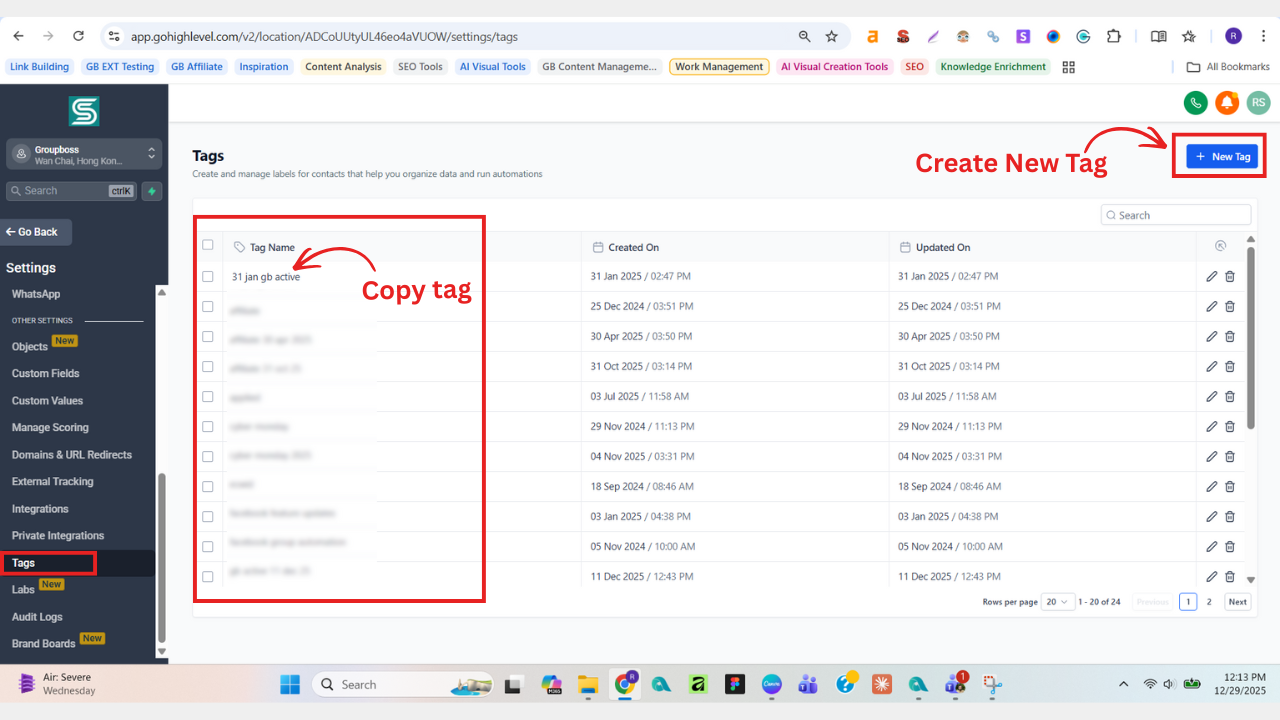
Special Note: The tag should be the similar one as there in the GHL account. If it is "abc" right "abc", DO NOT write "ABC" in the Chrome extension.
9. Now click ‘Save’ and your integration has successfully completed.
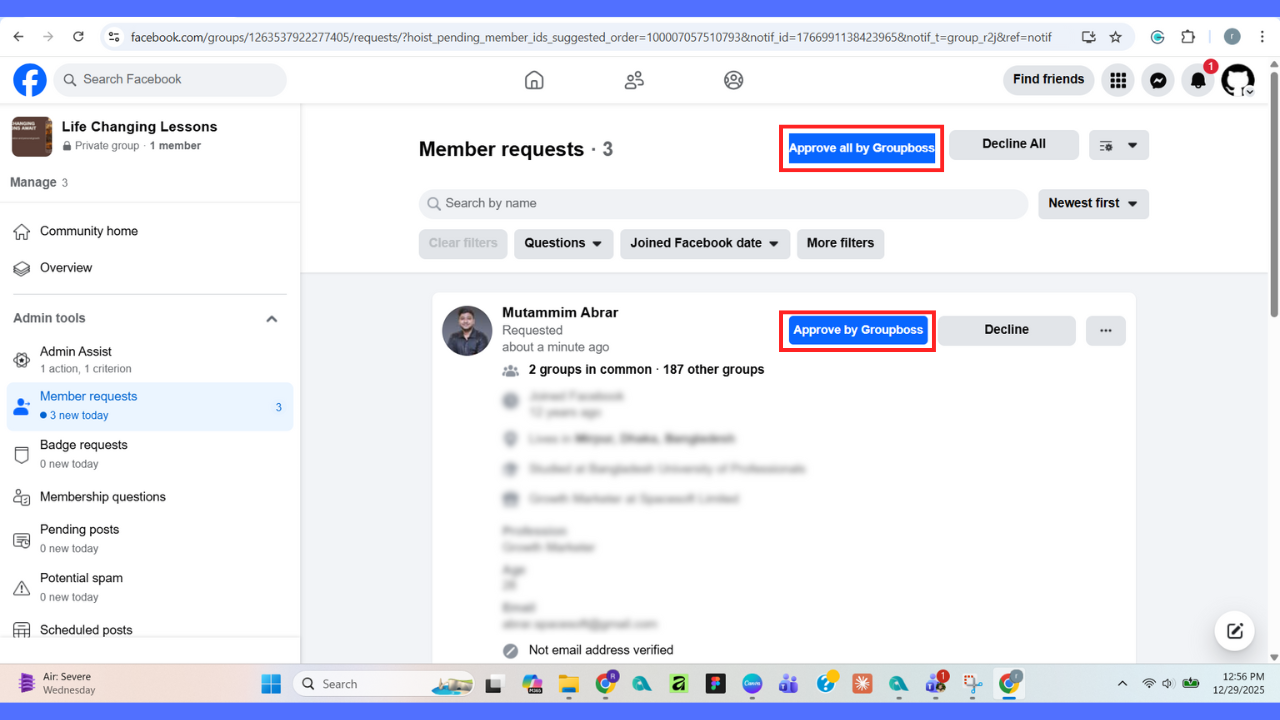
10. Now, go to your Facebook group and approve the pending requests by clicking on ‘Approve by Groupboss’ or ‘Approve all by Groupboss’.
11. After approving the requests, go to the ‘Contacts’ option of your GoHighLevel account. Your approved members data will be stored in the GoHighLevel Contacts.
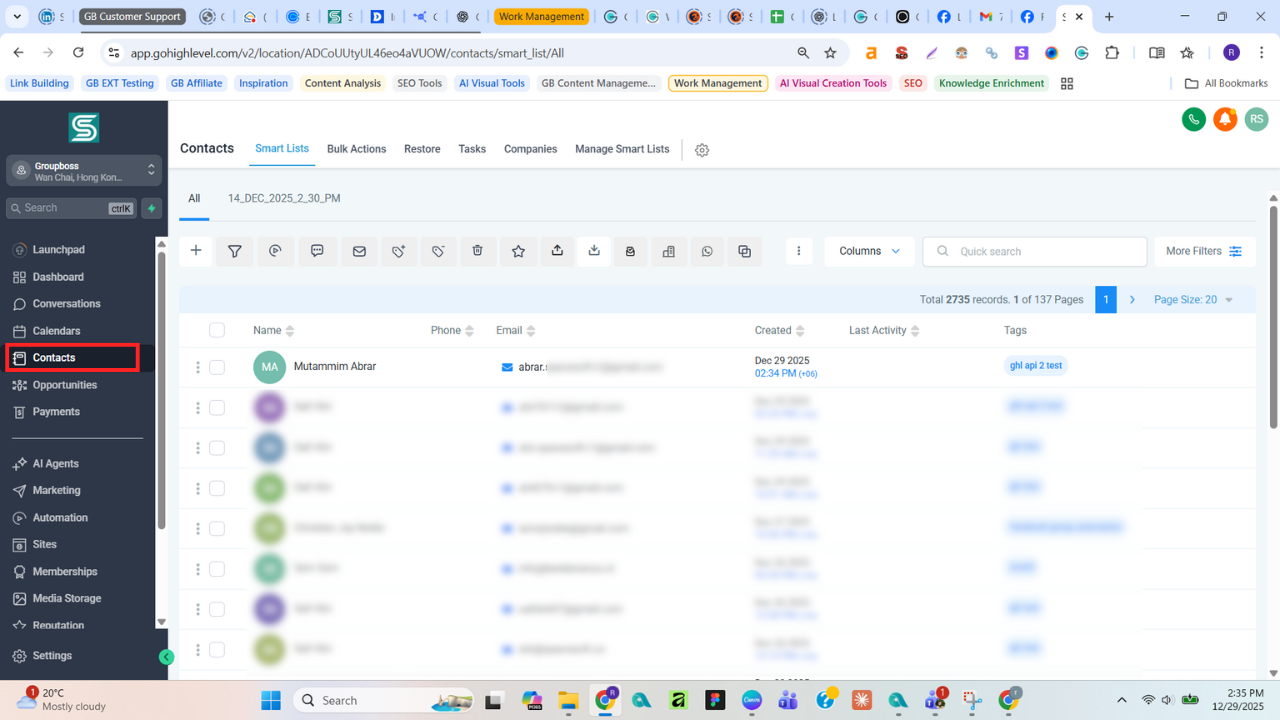
Thats it. Happy collecting Facebook group members data with Groupboss directly in your GoHighLevel contacts.