


If you want to update your Groupboss password, you can do it in two simple ways depending on whether you are logged in or forgot your password.
Method 1: Reset Password Using “Forgot Password”
Use this method if you cannot log in to your Groupboss account.
Step 1: Go to the Groupboss Login Page
Visit the Groupboss Login Page from your browser.
Step 2: Click “Forgot Password”
On the login screen, click the “Forgot Password” option.

Step 3: Enter Your Email Address
Type in the registered email address connected to your Groupboss account and click the “Reset” button.
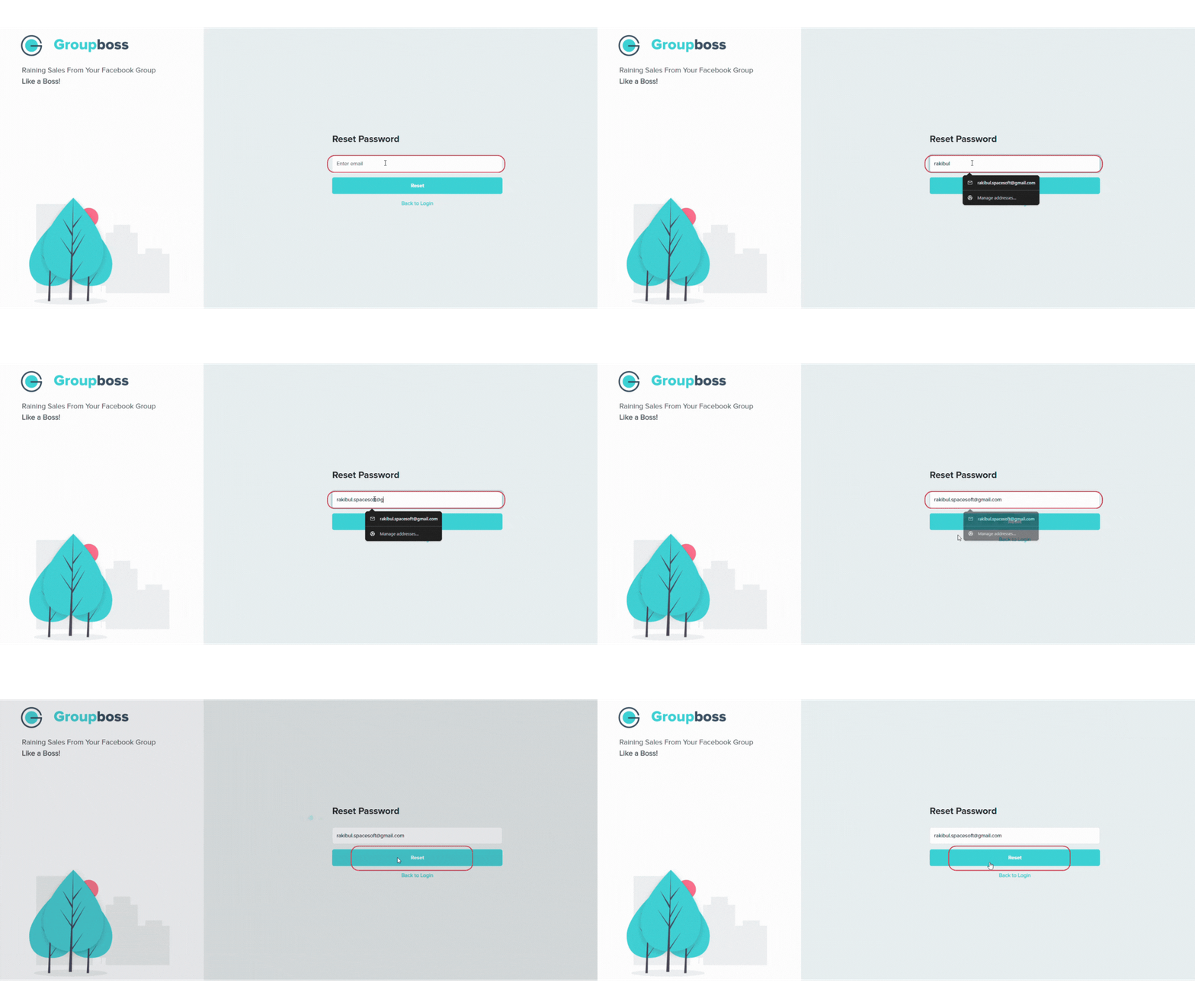
Step 4: Check Your Email Inbox
You will receive a password reset email from Groupboss.
- Open the email
- Click the password reset link

If you do not see the email, check your:
- Spam folder
- Promotions tab
- Trash folder
Step 5: Create a New Password
Enter your new password and confirm it. Now hit the “Reset Password” button.

Once completed, you can log in using your new password.
Method 2: Change Password From Your Dashboard
Use this method if you are already logged in to your Groupboss account.
Step 1: Open Your Groupboss Dashboard
Log in to your Groupboss Dashboard. Click your Profile icon from the top-right corner of the dashboard.It will open Open Account Settings.

Step 2: Click ‘Change Password’
Select the ‘Change Password’ option from the dropdown menu.

Step 3: Enter Your Password Information
Now fill in:
- Your current password
- Your new password
- Confirm the new password

Then click the ‘Change Password’ button.
Your password will be updated immediately.