Groupboss + Snov.io: Capture, Verify, and Email Facebook Group Leads on Autopilot
Learn how to use Groupboss with Snov.io to capture Facebook Group leads and send automated cold email sequences. A step-by-step workflow for group admins.

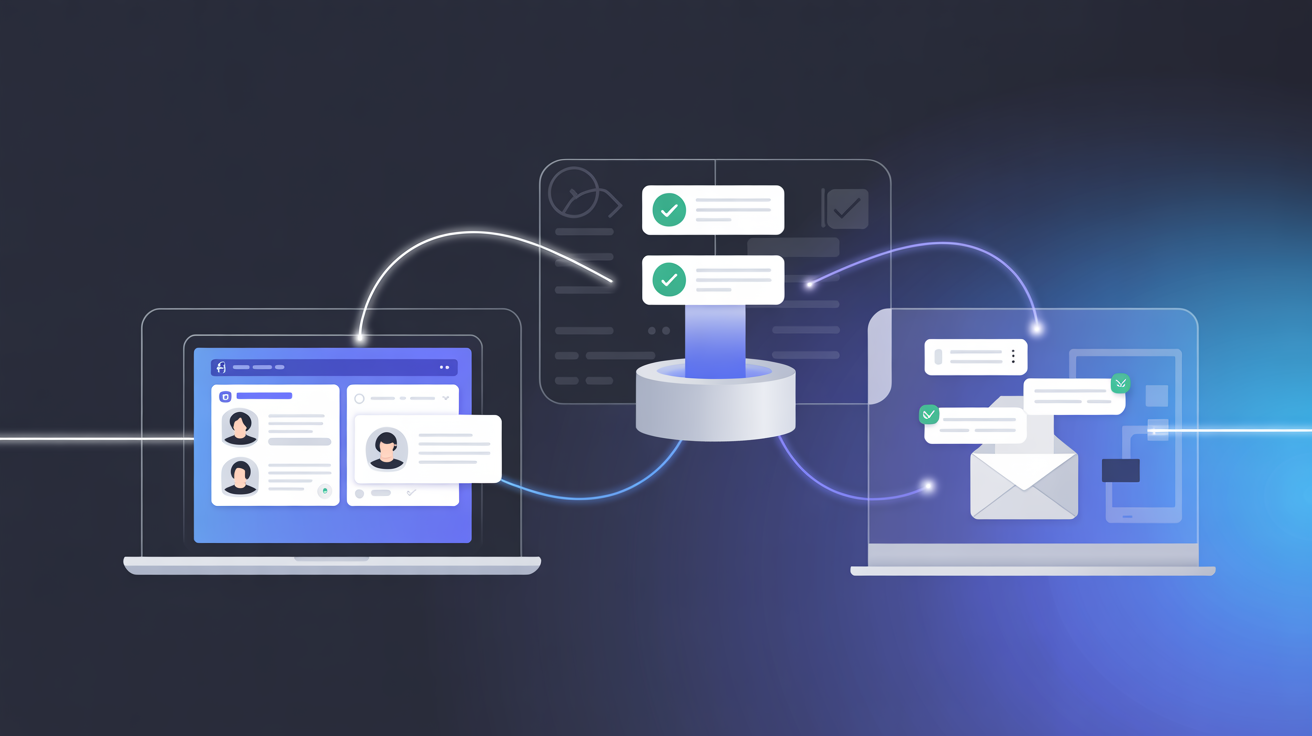
Most Facebook Group admins work hard to grow their community. But very few follow up with members outside the group.
That's where the money is. Every member who joined already said yes to you, they answered your questions and shared their email. That's a warm lead, not a cold stranger. Most admins stop there. They approve the member, maybe post some content, and hope the group does the work on its own.
But leaving them inside Facebook is a massive risk. You don't own that audience; Facebook does. A sudden algorithm change, a strict policy update, or a random glitch could lock you out of your own community overnight.
This guide fixes that. You will learn exactly how to use Groupboss with Snov.io to turn those members into cold email leads, automatically and independently.
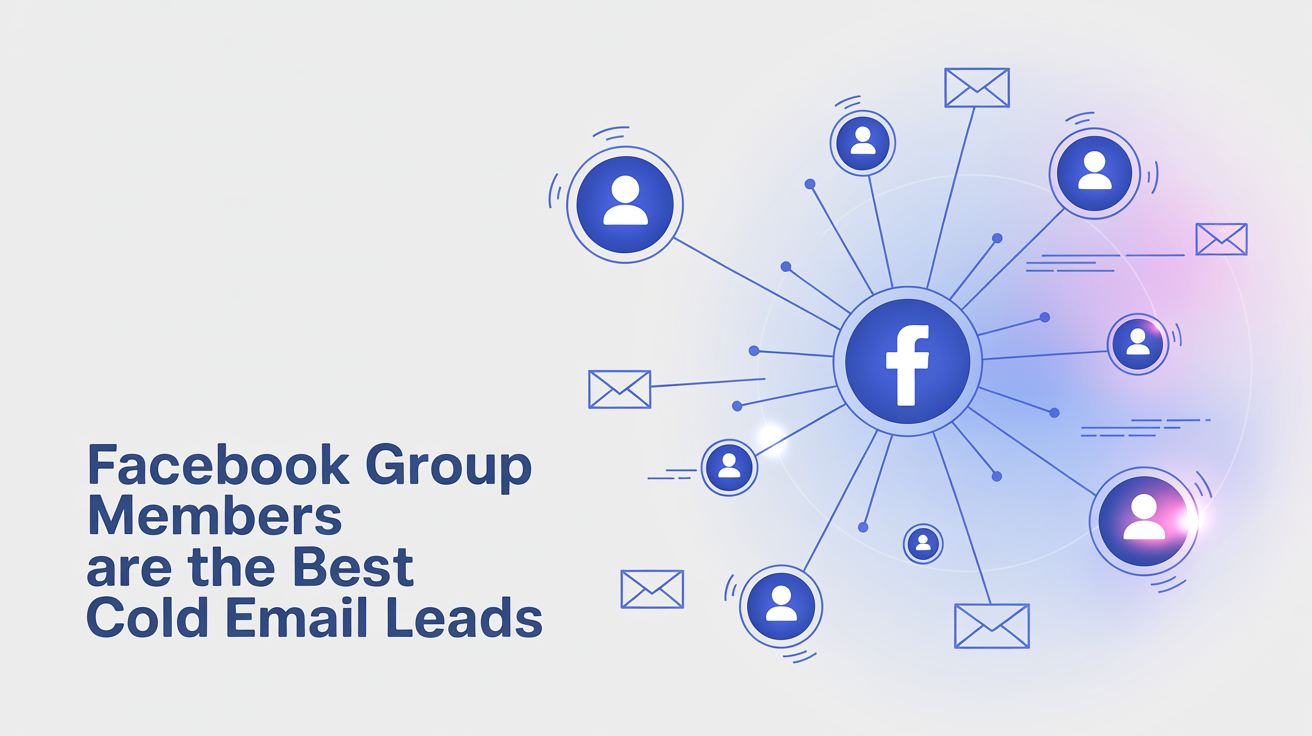
Why Facebook Group Members are the Best Cold Email Leads?
Most cold emails fail for one reason. It goes to people who never asked for it.
Facebook Group members are not that. They requested to join your community. They answered your membership questions. A good number even shared their email address, because they trusted you'd deliver something worth reading.
That's a completely different starting point. According to Snov.io 73% of decision-makers say personalization matters for cold outreach, and smaller targeted lists consistently outperform high-volume blasts. Your group members are exactly that. They opted in, they know your name, and they're already warm.
So the real question isn't whether you should email your group members. It's how to reach all of them, without spending hours doing it manually.
The Two Tools Behind This Workflow
Snov.io
Snov.io is a sales outreach and cold emailing tool. It enables you to build email series, automate follow-ups, verify email handles, and check open and reply rates, all in a single location.
The most helpful Snov.io features for Facebook Group admins are:
- Email Drip Campaigns: Automatically send a series of emails, with days between them, and personalisation options. You compose the email just once and then Snov.io will take care of the timing.
- Email Verification: Snov.io verifies that the email address is valid before sending. This helps you maintain a good sender reputation and low bounce rate.
- Personalization Fields: Include custom variables and first names in all emails. Automated messages can be personal.
- Sender Warm-up: Before you send a campaign, Sender Warm-Up is a built-in tool that will help you to gradually develop your sending reputation with Snov.io. This is very important with regard to deliverability.
- Reply Detection: If someone responds to an email, then Snov.io will block the rest of their sequence. There will be no follow ups after they have responded.
Integrate Groupboss with Snov.io and you have everything automated from Facebook Group join request to a cold email inbox.
Groupboss
Groupboss is a Chrome extension built for the Facebook Group admins. It automates the one task that costs admins the most time doing, collects member information and saves it when you approve a join request.
Here's how it works. Facebook allows you to have up to three membership questions when someone requests to join your group. That's one of the questions most admins want to know: an email address. All those answers are recorded as soon as you click "Approve" in Groupboss. It saves the name, email, and question answers in your Groupboss dashboard and then pushes these to your CRM/email tool.
No copy-pasting. No spreadsheet work. No missed leads.
Groupboss integrates with 30+ tools such as Snov.io, Mailchimp, ActiveCampaign and GoHighLevel. Snov.io is one of the most powerful of them on cold email outreach.
How to Connect Groupboss with Snov.io
Groupboss and Snov.io are directly connected through an API key integration which means there is no need for any third-party integration tools.
Groupboss already has a complete set up guide for this connection. It can be followed here: Groupboss + Snov.io Integration Guide. A quick overview of the process is as follows:
Step 1: Get your Snov.io API User ID and API Secret (key)
Log in to Snov.io account. Navigate to profile settings, go to the API section. Make sure to copy your API Secret and API User ID.
Step 2: Open the Groupboss Chrome extension
Click on the Groupboss icon in your Browser. Select the Facebook Group you wish to connect to. Go to the Autoresponder section.
Step 3: Select Snov.io and paste your API key
Select Snov.io from the autoresponder list on the page. Paste your API User ID, API Secret key and the prospect list ID you copied from Snov.io. Save the settings.
Step 4: Test with a single approval
Approve one member of the pending group with Groupboss. Check your Snov.io prospect list in just a few minutes. The contact should appear there automatically with their first name and email address.
This is the complete connection. At this stage, all members you approve of in Groupboss immediately send their name and email to Snov.io.
Building Your Cold Email Workflow in Snov.io
When your leads are automatically flowing into Snov.io, you can begin to create the outreach workflow. Here's how it works for Facebook Group leads.
Step 1: Organize Your Leads into a Prospect List
Contacts are stored under the "Prospect Lists" in Snov.io. During the Groupboss integration setup you select which list new contacts will be added to. Make a separate list for every Facebook Group you have.
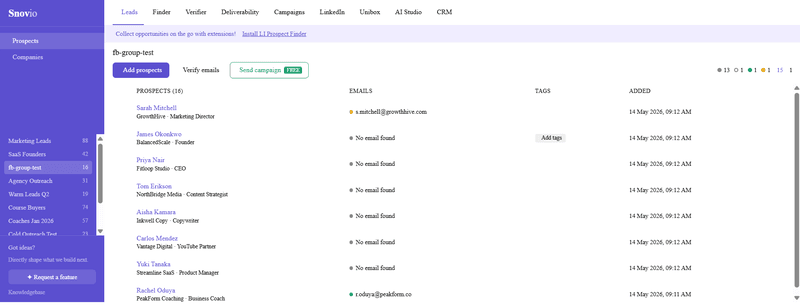
This ensures that there will be no confusion and you can send specialized sequences to each group's audience.
Name your list after the group. For instance: ”Digital Marketing Group: New Members.”
Step 2: Verify Your Email List Before Sending
Groupboss pushes leads directly into your Snov.io Prospect List. Before launching your outreach, use Snov.io’s built-in Email Verifier. This feature automatically filters out typos, fake addresses, and invalid syntax. Keeping a clean list ensures your bounce rate stays safely below 5%, protecting your overall domain deliverability.
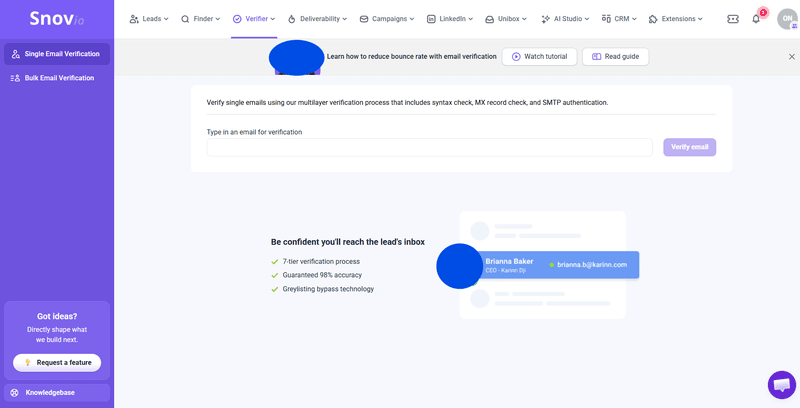
A clean list containing 90%+ valid addresses will always be superior to a larger dirty list.
Step 3: Warm Up Your Sender Email Address
To send cold emails for the first time or if you are using a new domain, you should enable Snov.io's Email Warm Up feature 3–4 weeks prior to your first email campaign. This gradually creates your sending reputation, so your emails are not sent to Spam.
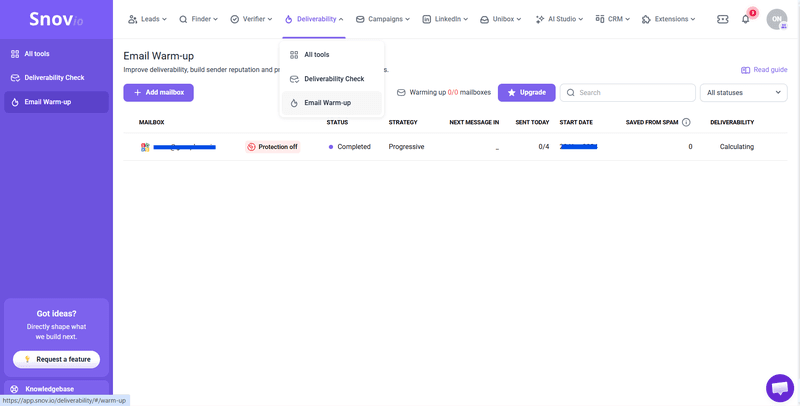
If you do not do this, your polished emails could never be read.
Step 4: Create a Drip Campaign
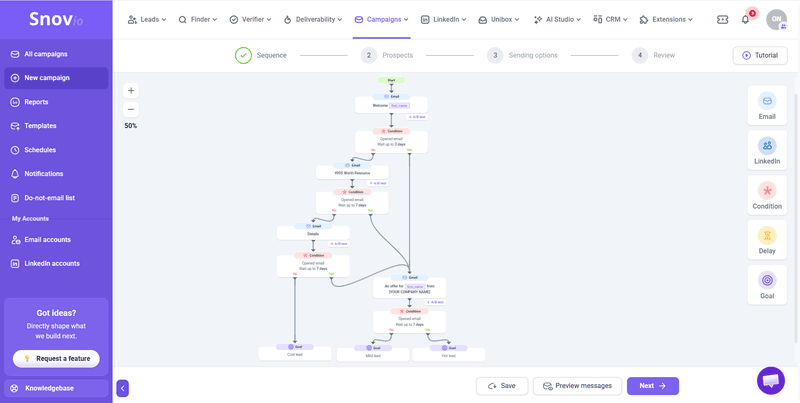
Go to Campaigns in Snov.io and create a new drip campaign. Link it to the Prospect List that Groupboss feeds into.
Now write the series of emails. A simple 3-email sequence works well for Facebook Group leads:
Email 1: The Instant Welcome (Send Immediately)
Set this email to fire the exact moment a lead lands in your Snov.io list. Acknowledge their join request while your group is top of mind. Keep it under 100 words, use a warm tone, and don't include a sales pitch.
- Subject line idea: Welcome to [Group Name]!
- Example opening: "Hey {{First_Name}}, I noticed you just joined [Group Name] and wanted to personally welcome you to the community.
Email 2: The Value Email (Send Day 3)
Share something beneficial. Resource, tip, a short comment on your group's subject. This creates credibility and rapport before requesting anything.
Email 3: The Soft CTA (Send Day 7)
Now it's time to introduce what you offer. Keep the tone low-pressure with a single, clear call to action: a link to a landing page, a booking form, or a free trial.
Limit each email to 150 words. Short emails are read. Long emails are skipped.
Step 5: Set Up Reply Detection and Stop Conditions
In your Snov.io campaign settings, turn on reply detection. This will automatically end the sequence when someone responds. When someone has already replied to your email you do not want to keep emailing them.
Also, place an unsubscribe link on each email. According to CAN-SPAM and GDPR regulations, this is a legal requirement in most countries, but Snov.io allows for easy addition.
Best Practices for Cold Email to Facebook Group Members
The automation is done by the integration. However, the outcomes rely on the method you write the emails and the way you deal with your audience.
Go beyond first names with manual syncing
While the Groupboss native API automatically pushes names and emails into Snov.io in real time, it stores the answers to your custom membership questions inside the Groupboss dashboard.
To maximize your results, periodically download your Groupboss data as a CSV and upload it to Snov.io to update your custom fields. This allows you to segment your list by their actual business challenges and send hyper-targeted emails to different groups.
Don't Pitch in the First Email
This is the most frequent error. The first email you write to a new member of a group is not a sales email. It's a hello. Treat it like one.
Your group members trusted you with their personal contact information. Honor that trust by leading with pure value instead of an immediate sales pitch. Save the offer for email 3 or later.
Send From a Real Person, Not a Brand
Emails that are sent by Team@yourcompany.com appear like newsletters. Emails from ["sarah at your company"] are like a conversation. Include a sender's name and address.
The sender name and email can be set up easily in Snov.io. Use the 2 mins to get this right.
Don't delay the welcome email
Do not wait 24 to 48 hours to send your first message. A warm inbound lead cools off quickly. Deliver Email 1 instantly while they are actively thinking about your group. Save your deeper value drops and sales offers for Day 3 and Day 7.
Keep Your Bounce Rate Under 3%
A bounce rate higher than 3% means inbox providers that your list isn't of good quality. This negatively affects the deliverability of all of your domains. This number is kept in check by Snov.io's email verifier before every campaign.
What You Can Do With This Workflow
After connecting and running Groupboss and Snov.io, the workflow opens up more than just a welcome sequence.
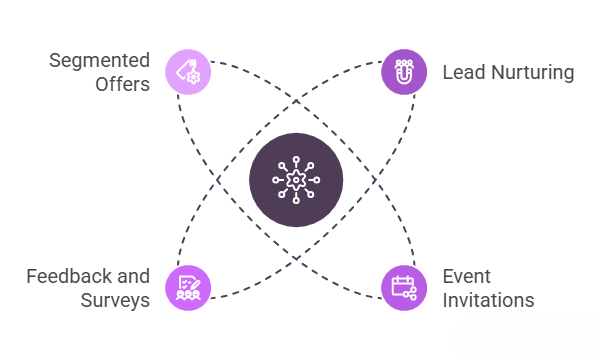
Here are some of the uses for group admins:
- Lead nurturing for products or services: If you have a product like a course, a coaching program or a SaaS tool, your Facebook Group is a perfect top-of-funnel source. The email series takes members from "curious" to "converted" in 7-14 days.
- Webinar and event invitations: Hosting a live session? Your warmest audience is already your group members! A targeted email invite can deliver much more registrations than just a group posting.
- Feedback and surveys: Want to find out what your viewers need? Email them and ask. Email-based surveys are more likely to be completed than postings to a group feed.
- Segmented offers: You can segment your Snov.io lists, and send different offers to different members based on the questions you asked on your membership form. This can double the conversion rate on your emails.
Frequently Asked Questions
Does Groupboss send all member data to Snov.io, or just email?
Groupboss sends the first name, last name and email address to Snov.io. It does not send membership question answers directly.
What if a member doesn't provide an email when joining?
Groupboss only sends contacts to Snov.io when an email address is present. Members who skip the email question won't appear in your Snov.io list.
Is cold emailing Facebook Group members legal?
Members gave you their email voluntarily when joining your group. That's a form of consent.
But you should still follow CAN-SPAM and GDPR guidelines: include an unsubscribe option, use your real business name and address, and don't mislead readers with deceptive subject lines. Snov.io handles most of this technically; you just need to write honest emails.
How many emails should I send in a sequence?
For new Facebook Group members, 3–5 emails over 2 weeks is a reasonable range. Too few and you miss people who just weren't ready on day one. Too many and you risk unsubscribing.
Watch your open rates after email 3. If they drop sharply, your sequence is probably too long.
Can I use Groupboss with multiple Facebook Groups and send different sequences to each?
Yes. Groupboss supports multiple groups under one account. You can connect each group to a separate Snov.io prospect list and build different campaigns for each audience.
Wrapping Up
Each member you approve is a potential lead. Groupboss automatically collects their name and email automatically. Snov.io turns that into an email conversation for you. That's it, that's the whole system!
It can be set up in less than an hour. Then it's self-contained and self-sustaining.
You already have your next customer in your group. Get a 7 day free trial of Groupboss.