Social Media for Business: The "Community First" Blueprint
Most businesses treat social media like a billboard. You should treat it like a funnel. Here is how to use Facebook Groups to turn casual scrollers into paying customers.

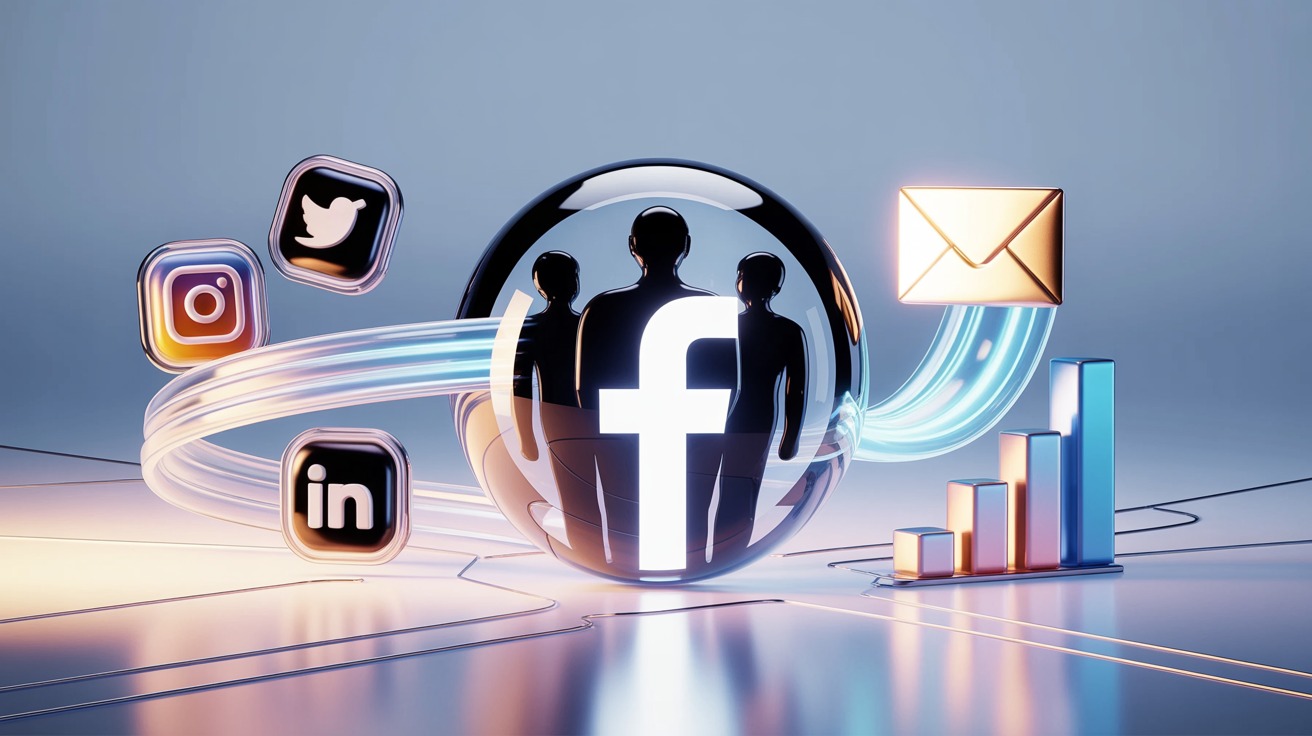
Most business owners treat social media like a way to broadcast messages. The smartest founders use it to catch and connect with potential customers.
If you post every day on Instagram, LinkedIn, and TikTok but your revenue stays the same, your strategy needs to change.
Here is the reality:
Likes don't pay the bills. Comments don't sign contracts.
For course creators, coaches, and SaaS founders, social media for business isn't about "going viral." It's about moving people from a distracted feed into a focused environment you control.
That environment is a Facebook group.
We’ve removed the unnecessary details to give you a clear guide for turning social media platforms traffic into leads and sales you control.
Key Takeaways for Social Media for Business
- The "Feeder" Strategy: Use public platforms (LinkedIn/IG) only to drive traffic to your private community.
- Retention Wins: A Facebook group retains leads longer than an email list or a website visit.
- Data is Currency: if you aren't capturing emails from your social channels, you are wasting your time.
- Automate or fall behind: Entering data by hand slows you down. Set up your group members to sync with your CRM automatically.

Why Social Media for Business Still Matters (The Real Reason)
Before we get into tactics, let’s clear up a common myth. Organic reach isn’t gone. It’s just different now.
You might be asking, "Why bother with social media if I have an email list?"
Here is the answer:
Social media is the only place in the world where you can access your competitors' customers for free.
If you only use ads, you pay extra for every lead. But using social media for business lets you:
- Lower Client Acquisition Costs (CAC): Organic leads are free.
- Build "Know, Like, and Trust" at Scale: An email is just text. A video or a community discussion creates emotional buy-in.
- Validate Before You Build: Instead of guessing what your market wants, you can watch what they complain about on social media and build the solution.
Social media isn’t your business itself. It’s the way you bring people to your business.
A quick comparison of today’s social media landscape
Many entrepreneurs try to be on every platform and end up getting little results. In 2026, each platform has its own purpose. Using the wrong tool for the job won’t work.
Here is the breakdown of social media for business based on what actually converts:
The Strategy Shift:
Don’t treat all these platforms the same way.
- LinkedIn & Instagram are for dating (Attraction).
- Facebook Groups are for marriage (Commitment & Sales).
Step 1: The "Feeder" Strategy
Now that we know the roles, let's execute.
Don’t just end your posts with a statement. Every public social media post should guide people to take the next step.
How to execute this:
- On LinkedIn: Don't just post advice. Post a teaser, then say, "I break this down fully in my community. Link in bio."
- On Instagram: Use Stories to show "behind the scenes" of your group discussions. Create FOMO (Fear Of Missing Out).
- On YouTube: Make your Call to Action (CTA). "Join our free community for the resources mentioned in this video."
You don’t need to collect leads directly on Instagram. Your goal is to move them to the next step.

Step 2: Building a Thriving Community with Facebook Groups
Once they are at the gate, why do they stay?
Many people see a Facebook group as just a forum, but it’s more than that. It’s a the best Social Media for Business its own culture.
Building a strong Facebook community is what separates an empty group from a valuable one. When your group is active, members help promote your business for you.
The 3 Pillars of a Thriving Group:
- Exclusivity: Stop letting everyone in. A "Members Only" vibe makes people value the content more.
- The "Guide" Mentality: You aren't just the admin; you are the guide. Your group should have "Guides" (content modules) that solve specific problems for free. This establishes you as the undisputed expert.
- Peer-to-Peer Support: In a newsletter, you talk to them. In a Group, they talk to each other. When a prospect sees 50 other people getting results from your method, social proof kicks in.
This is where real results happen. An active community gets leads ready to buy much faster than any email sequence.
Step 3: The "Golden Trio" of Questions
When someone requests to join your thriving community, Facebook allows you to ask three Facebook group membership questions.
Make sure you use this chance well.
This is the best time to get results in your funnel. People are interested and ready to join. If you ask, they’ll share their information.
The Exact Script to Use:
- Question 1 (The Hook): "What is the #1 thing holding you back from [Result] right now?" (Market Research)
- Question 2 (The Offer): "I have free training on how to solve [Result]. Want me to send it to you?" (Permission)
- Question 3 (The Capture): "Drop your email address here, and I’ll send it over immediately." (Lead Gen)

If you have 100 people join your group each week, that is 100 highly qualified leads who give you their email addresses.
Step 4: Stop Manual Data Entry (The Automation)
This is the step where many people struggle.
They get the emails in the membership questions, but they:
- Forgot to copy them.
- Copy them manually into a spreadsheet (which takes hours).
- Let the leads sit in "pending" for days, letting them go cold.
Delays can hurt your sales.
You need those emails in your autoresponder (ActiveCampaign, ConvertKit, GoHighLevel) instantly.
This is why we built Groupboss.
Groupboss automates this entire bridge.
- You click "Approve" on a new member.
- Groupboss grabs their answers and emails.
- It automatically pushes them to your Google Sheet and Email Marketing software.
You don’t have to copy and paste anything or worry about missing leads. Just approve new members and see your email list grow.
Step 5: Content That Nurtures
Now that they are in the group and on your email list, what do you post?
In a private group, your content strategy changes. You don’t need to grab their attention; they’re already interested. Now your job is to help them.
- The "Teardown": Take a member's problem and solve it publicly on a video.
- The "Resource Drop": Share a PDF, checklist, or template exclusively for the group.
- The "Hot Seat": Live coaching sessions.
Why this works:
When you help people for free, you build trust and can offer your paid solution. At this stage, you move from social media to managing your community.
People Also Ask (FAQ)
Why are Facebook Groups better than LinkedIn Groups?
Engagement. Facebook's algorithm actively notifies users about Group activity. LinkedIn Groups are notoriously quiet and have poor notification reach.
How do I grow my Facebook Group without ads?
Optimize your Facebook group name with SEO keywords (e.g., "SaaS Founders Network" instead of "Mike's Group"). Put the link in your email signature, your social bios, and your thank-you pages.
Can I monetize a free Facebook group?
Absolutely. The group builds trust. You monetize by collecting emails (using Groupboss) and selling via your newsletter, or by offering high-ticket coaching to your most engaged members.
Conclusion
Don’t make social media for business more complicated than it needs to be.
You don’t have to be an expert on every platform or make videos on TikTok.
You need a simple, repeatable system:
- Drive traffic from public feeds (LinkedIn/IG).
- Capture traffic in a Facebook Group.
- Own the data by automating email collection.
Your goal isn’t to become an influencer. Your goal is to run a profitable business.
Ready to turn your Facebook group into a lead generation machine? Stop copying emails manually.