Facebook Group Admin vs. Moderator: All You Need to Know in 2026
Facebook group admins and moderators have differences in their responsibilities. Learn more about them from this article.

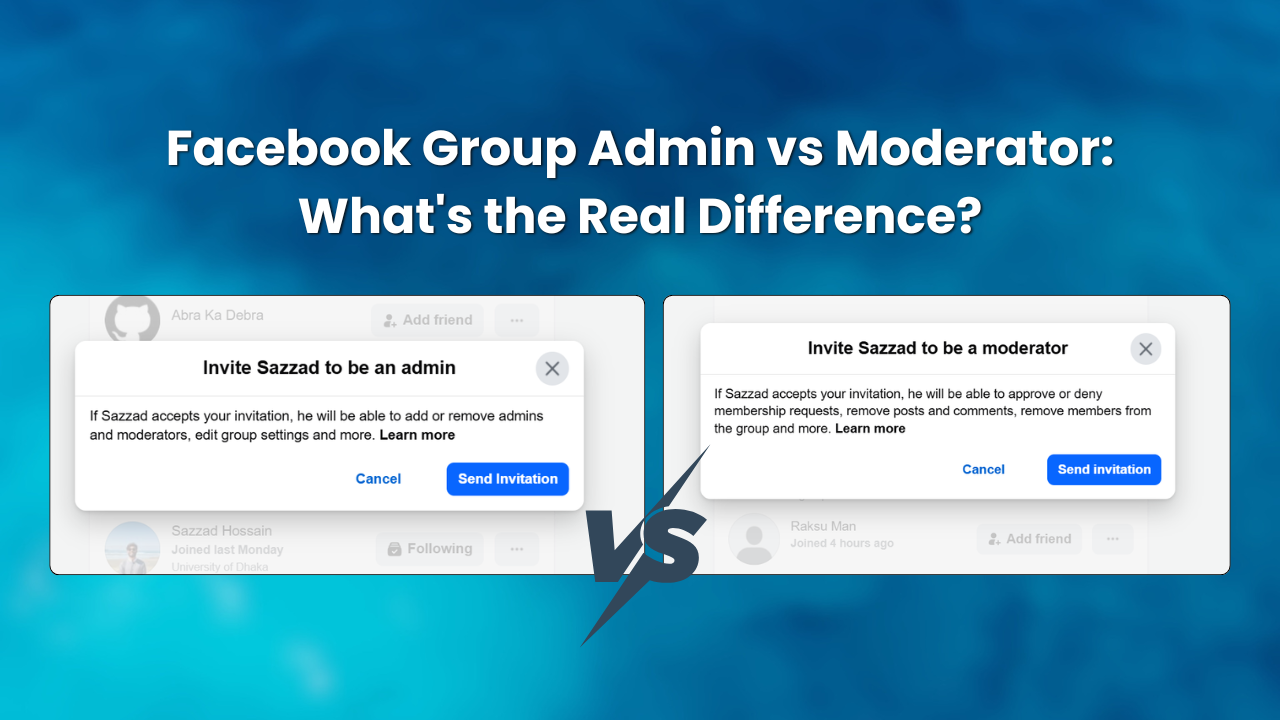
Your Facebook group is growing. But between approving posts, answering DMs, and actually creating content, you’re completely burnt out. You need help.
But who do you add? Most creators guess the difference between a Facebook group admin vs moderator and learn the hard way: give someone too much power, and they might wreck your settings. Give them too little, and they can't actually help you.
Let’s skip the guesswork. Here is the exact difference between the two roles, what they can (and can't) do, and how to safely hand over the keys to your community.
Who is the Facebook Group Admin?
An admin is the person with the most control over a Facebook group. Group creator is automatically made admin. From there they can open themselves up to others to take on that role.
The admin is a similar role to that of the group owner. They are able to alter their group's operation, renaming, privacy settings, member restrictions, and select other users to make Admins or Moderators.
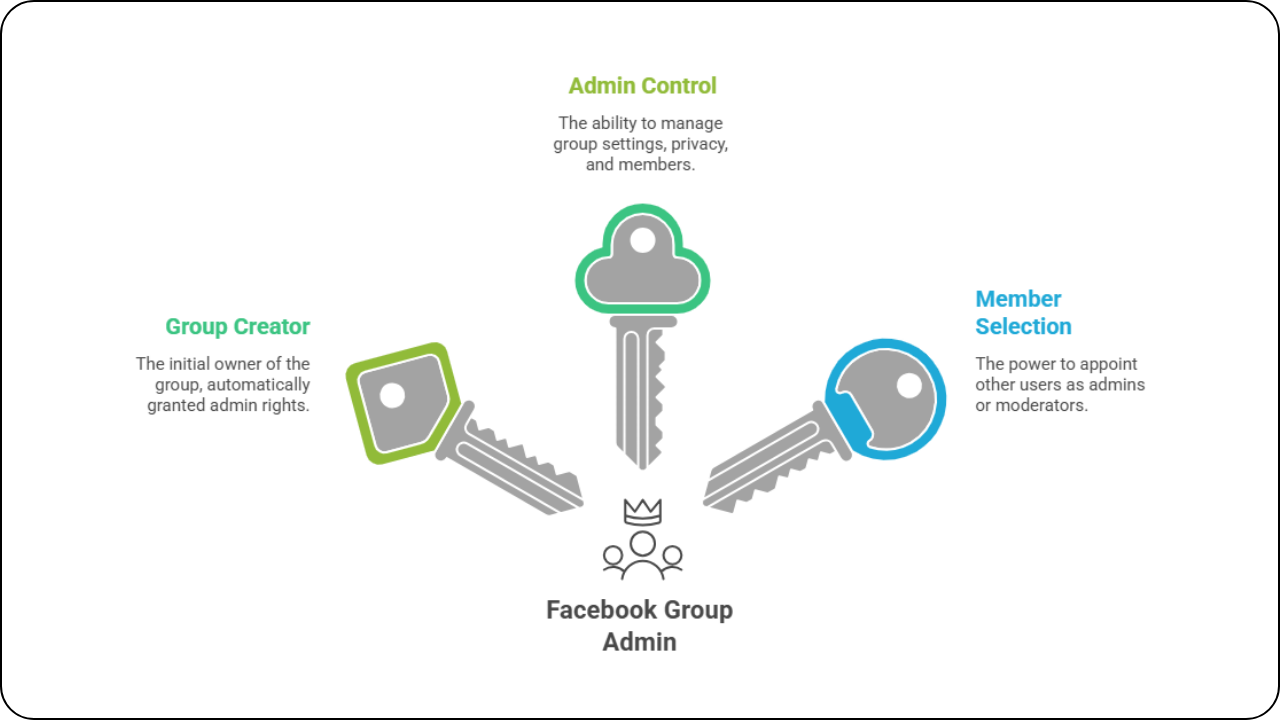
There are some things that only an admin can do:
- Change the group name, group’s description, and cover photo
- Alternate between Public and Private
- Add any member to the admin or moderator.
- Determine whether to ask group membership questions.
- Review and accept/deny membership applications
- Get rid of or lower other admins
- Remove all members and completely remove the group
Keep in mind that if you add someone to the Admin list they have the same permissions as you. They can also kick you as admin! Only assign this role to those that you completely trust.
What Is a Facebook Group Moderator?
A moderator is there to assist the group with its daily activities. They can't alter group settings, not manage admins, but they do most of the other things required to keep a group alive and well organised.
The moderator position is suitable for a trusted player. You can truly authorise them without giving them complete control of the group.
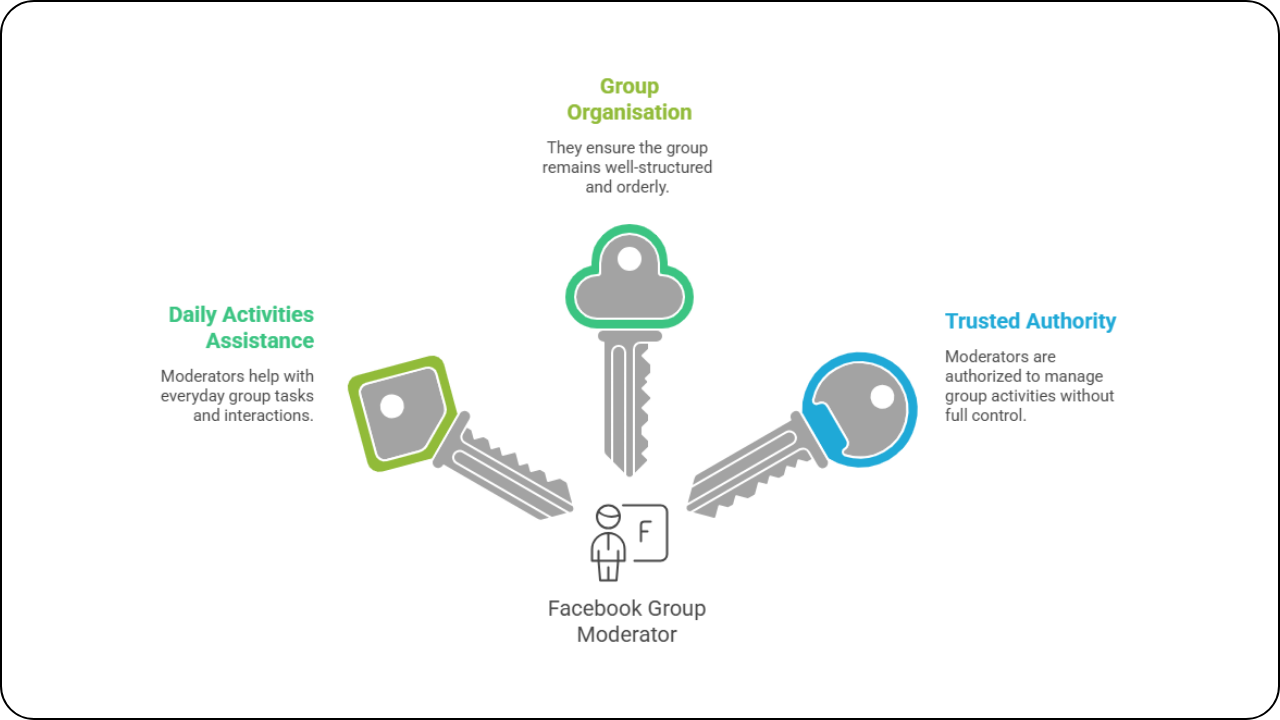
A moderator can do the following:
- Set group membership questions
- Accept or deny new membership applications
- Accept or delete unpublished posts
- Delete posts/comments violating group rules
- Leave the group or deny access in the group
- Pin a post or unpin a post in the Facebook group.
- Welcome new members and answer specific questions.
Most of the same things can be accomplished by moderators as by admins. The difference is that moderators can do none of the following: change group settings, manage admin roles, or change the way groups are set up.
How to Choose the Right Moderator for Your Facebook Group
All active members are not good moderators. The following are things to keep in mind before promoting someone.
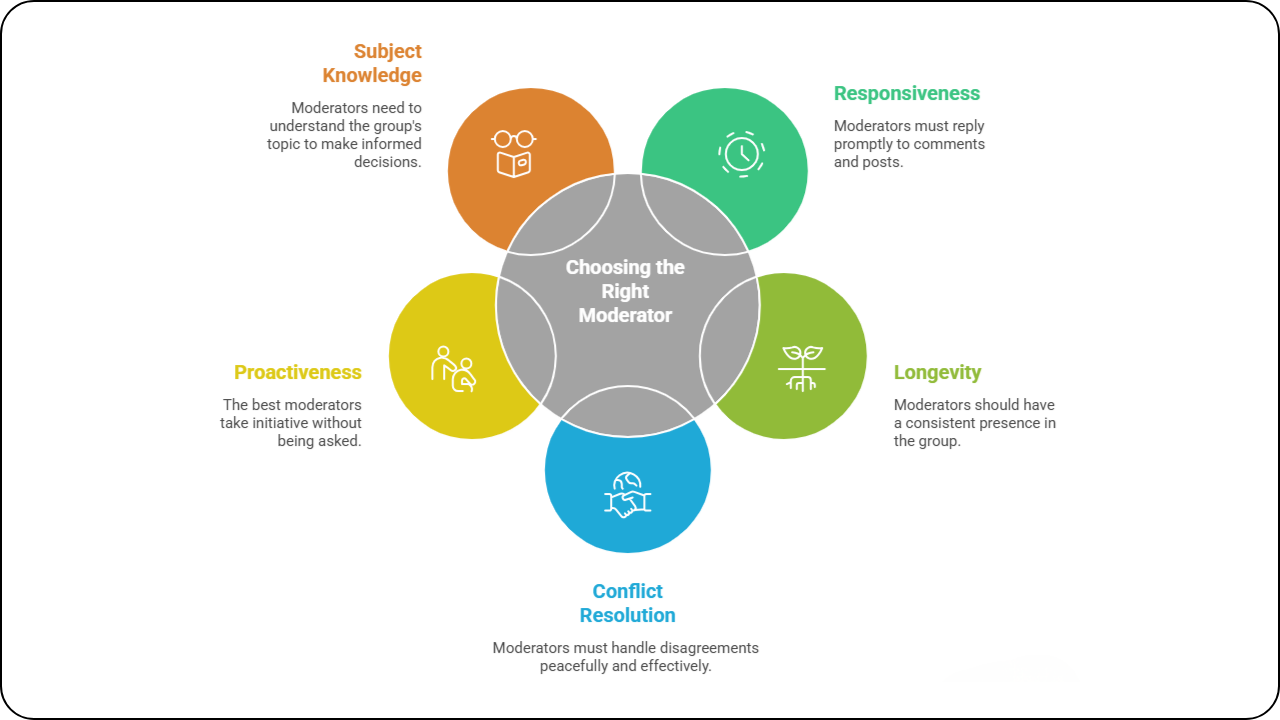
- They're responsive: See how prompt they are with their reply to comments and posts in the group. It may not be helpful when spam arrives at 2am when a moderator has been taking 3 days to respond.
- They've been around: If someone has been active for 60–90 days, they've been around. Consistent members, loyal to your group, know your culture before you impose it.
- They resolve conflicts in a peaceful manner: Find a thread where two members had a disagreement and return to it. Notice this person's reaction. Did they defuse the situation or fan the flames? This says it all.
- They do this without being invited and without you having to ask them: The best moderators are already answering questions, welcoming new members and flagging bad posts without you even noticing them. Encourage existing behaviour.
- They know what your group is about: If your fitness group moderator isn't even talking about fitness, he or she will make bad decisions about what to approve. They don't need to be passionate about the job, but they must be interested in the subject.
Admin vs Moderator on Facebook: Side-by-Side Comparison
Here's a clear breakdown of what Facebook group roles can and can't do:
Here's a clear breakdown of what each Facebook group role can and can't do:
| Feature / Permission | Admin | Moderator |
|---|---|---|
| Manage group settings | ✓ | ✗ |
| Add / remove admins | ✓ | ✗ |
| Change group privacy | ✓ | ✗ |
| Approve / deny member requests | ✓ | ✓ |
| Approve / deny pending posts | ✓ | ✓ |
| Remove posts and comments | ✓ | ✓ |
| Remove / block members | ✓ | ✓ |
| Pin / unpin posts | ✓ | ✓ |
| Create and schedule posts | ✓ | ✓ |
| Welcome new members | ✓ | ✓ |
What Should the Admin Focus On While the Moderator Handles Daily Tasks?
If your moderator handles day-to-day operations, you can concentrate on expanding your group.
Where to invest your time and energy:
- Know the key individuals: Each group has a few individuals that are instrumental in leading conversations.
- Talk to them directly: They influence the actions of others.
- Don't only follow membership figures, monitor growth weekly: Examine community engagement with groups, retention of group members after 30 days and effectiveness of content for engagement.
- Consider how you will make money from your group: Your group has real problems. You should facilitate and assist them rather than simply approve posts.
- Use your moderators to help you with ideas for content: They know what your members are talking about each day. Use this for creating posts that people will care about.
- Try something other than Facebook: Dive into WhatsApp marketing to communicate with the most active users without stepping out from the group.
- Research the activities of other groups: Watch what issues they discuss and how they encourage group participation. Be aware of their failing areas. That's where there is room for your group to excel.
How to Add an Admin or Moderator to Your Facebook Group
Adding someone to either role takes less than a minute. Here's how to do it:
1. Open your Facebook group and go to the ‘Members tab’.

2. Find the member you want to promote. Click the ‘three-dot menu’ (⋯) next to their name.

3. Select 'Invite as admin' or 'Invite as moderator' from the dropdown.

4. Confirm. They will get a notification and can accept or decline. After they accept, they can start doing their new role.
After they accept, they will see their new Facebook group badge in the group. Other members can also see who is an admin or moderator. So choose people who show your community in a good way.
Watch the following video tutorial on how to add admins and moderators to your Facebook group:
Facebook Group Admin vs Moderator: When Should You Use Which Role?
Many group owners make mistakes here. Some make all of us admins; this is risky! Some attempt to conduct the group without assistance, which is very tiring. That's best achieved by reaching a compromise between admin and moderator.
For use with admin role:
- If you are a co-founder or business partner and require total control.
- This is because the community managers who are trusted and long term are in a professional team.
- Do not grant administrative access to someone you don't fully trust.
Use moderator role for:
- Active members of the community who volunteer to help maintain cleanliness
- Day to day team members that do not require access to the settings.
- Groups > 500 members which do not permit one individual to see all reviews.
The guide rule is to have a small, 1 to 3, admin list. If your group is large, use moderators. In the case of a group of 5,000 members, there may be 2 Admins and 4 to 6 Moderators.
What Happens If a Facebook Group Has No Admin?
This happens more often than you might think. If all admins leave, the group has no leader. No one can change settings, manage roles, or help banned members.
Facebook handles this in one of two ways. If the group has active moderators, any of them can claim the admin role. If there are no moderators either, Facebook may automatically assign the admin role to a long-standing active member.
To avoid this, always have at least two admins in your group. If one leaves or is not active, the other can keep the group running.
How to Manage Member Data from New Joiners
When new members join your group, they often answer group membership questions you've set, things like their email address, job title, or how they found you. These answers are a goldmine for building your email list or CRM.
The problem is that after you approve a member, their answers are hard to find on Facebook. They get hidden, and there is no easy way to export them.
Groupboss solves this by automatically saving membership question answers to a Google Sheet and your dashboard the moment you approve a new member.
If you collect their email address, it routes directly to your connected email marketing autoresponders, Mailchimp, ActiveCampaign, ConvertKit, or 30+ others.
Every new member is added to your system automatically. You do not need to copy and paste, and you will not miss any leads.
Common Mistakes When Assigning Facebook Group Roles
Even experienced group owners make these errors. Watch out for all of them.
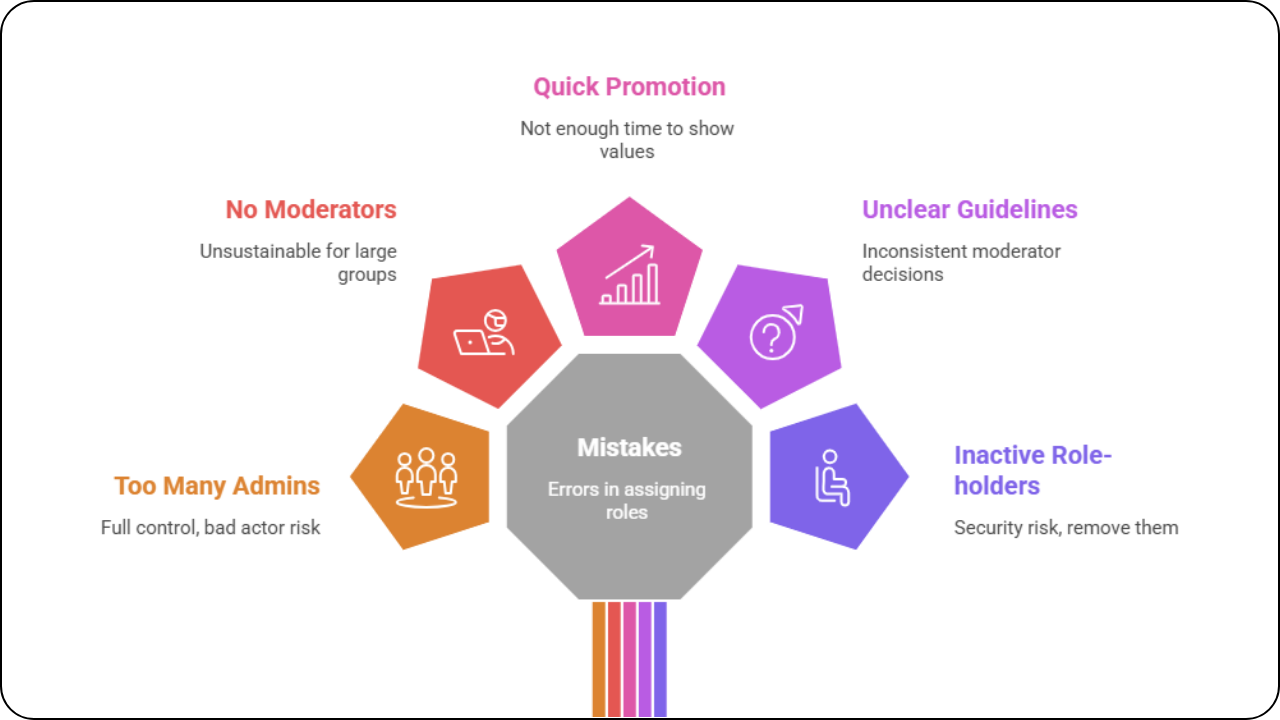
- Making too many admins: Every admin has full control. One bad actor can delete your group or remove everyone.
- Not using moderators at all: Running a group alone is unsustainable past a few hundred members. Delegate moderator duties early.
- Promoting members too quickly: Give people time to show their values before handing them any role.
- Not setting clear guidelines for your moderators: If your moderators don't know what to approve, remove, or pin, they'll make inconsistent decisions. Write a simple internal guide for your team.
- Forgetting to remove inactive role-holders: An inactive admin is a security risk. Review your admin and moderator list every 90 days and remove anyone who's no longer active.
The Bottom Line
There is a key difference between a Facebook group admin and moderator, and it is all about control.
Admins own the group. Moderators run it day-to-day.
That's the real difference. Admins set the rules and control who leads. Moderators approve members, remove bad content, and keep discussions on track.
Most groups need 1 to 2 admins and 2 to 4 moderators, enough coverage without spreading power too thin.
Check your member settings today. Remove inactive admins or moderators. Running a large group alone? Promote one trusted member to moderator now.
Then let Groupboss collect new member data automatically. Try it free for 7 days.
Frequently Asked Questions
Can a Facebook moderator remove an admin?
No. A moderator cannot remove, demote, or change the role of an admin. Only an admin can manage other admins and moderators. This is one of the key differences between the two roles.
What is the difference between admin and moderator on Facebook?
An admin has full control over the group, including settings, privacy, and the ability to add or remove other admins. A moderator can manage content and members, but cannot access group settings or manage admin roles.
What does a moderator do in a Facebook group?
A moderator approves or rejects member requests, reviews and removes posts, handles comment moderation, pins important posts, and welcomes new members. They handle the day-to-day work that keeps the community healthy.
Can a Facebook group have multiple admins?
Yes. A Facebook group can have multiple admins. Each admin has equal authority, which means any admin can remove any other admin, including the original group creator. Keep your admin list small and trusted.
What happens if a Facebook group loses all its admins?
If there are no admins in a group then any moderator can take the admin position. If there are no moderators, Facebook may automatically assign the role to a member who’s been active for a long time, to keep the group alive.
What is the difference between Facebook group admin vs moderator in general?
An admin has higher level access on most platforms and can manage the platform structure, settings and other users roles. A moderator is normally an admin that handles member behaviour and user generated content inside the limits defined by admins.
Written By
Sami Sadith
Sami is a content writer & loves to read. He enjoys writing about topics such as productivity, viral marketing, and growth hacking. Allowing himself to create his unique visual style, but still allowing people to recognise it.