Facebook Group Best Practices: A 2026 Guide to Building Thriving Communities
Discover Facebook group best practices to boost engagement, foster community, and build meaningful connections for success!

Your group gains a new member with a few clients. Within months, she’s getting steady referrals, making real connections, and showing up daily. This is what running a successful Facebook group looks like: posts become a real community.
An active group is not necessarily a thriving community. Your growth depends on your setup, on who you invite, and how you keep your members interested.
Learn how to set up a Facebook group, identify the right people to invite, and keep them engaged over time with this guide.
Facebook Group Best Practices You Should Leverage
1. Know your Audience and What you are Trying to Accomplish.
A strong group has a clear purpose. Here are 3 questions to ask yourself before you invite someone:
- Who is this group aimed at?
- What would make them a member?
- What do they receive?
Your purpose determines the mood and content and rules. A product support group differs significantly from a casual hobby group.
Clearly state the member you want. For example, if you’re a busy freelance designer looking for peer feedback and client leads, that’s specific enough to guide your posts and membership. The more focus you have, the stronger your community.
2. Select the Right Privacy Setting.
Facebook has two privacy settings, either public or private. If you select 'Private', you can also select 'Visible' or 'Hidden' for the group.

A quick comparison:
- Public: All group members and posts are visible. The group will appear in search results. Public groups are fast-growing but are likely to attract more spam too.
- Private and Visible: People can find the group and see it exists, but they need approval to view it and any posts. That’s what most brands do. It is easy to locate and helps cut down on spam.
- Private and Hidden: Visible only to current and invited or past members. It won’t appear in searches or suggestions. It works for private or help groups but is harder to grow.
Choose the privacy setting that suits your purpose. Admins will be able to make a private group public in 2026, and older posts will stay protected. But enormous private groups might not be able to revert, so choose wisely. For more information, see Facebook’s official guide to visible and hidden groups.
3. Develop a Strong Group Profile
First, people see your group’s name, cover photo, and description. So, choose a clear, searchable, friendly name so new members know what they are in for. “Design Crew: Instant Peer Critique” highlights your offer and audience. Add a keyword or two to help the right people find your group.
Next, upload a branded cover photo, and fill out the about section with your mission, contact info, and useful links. A full profile sets expectations and helps people feel comfortable joining.
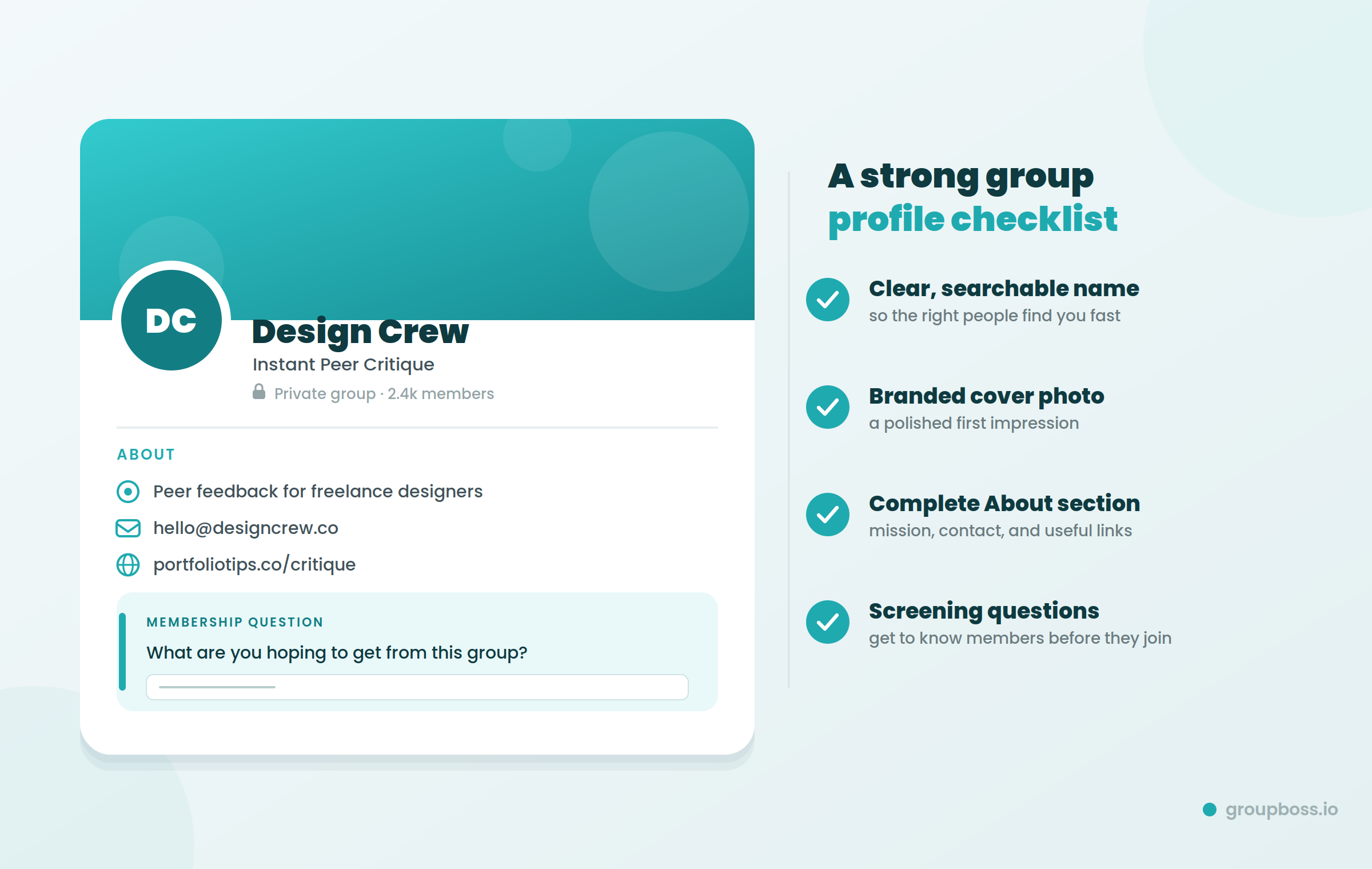
If you are a business group, try a small welcome gift like a free PDF or webinar to get signups going. Create some membership questions to get to know applicants and screen them. For example, “What are you hoping to get from this group?” helps you understand new members and welcome them better.
4. Set Explicit Rules and Code of Conduct
Respect is the foundation of a good community. A few rules set the mood and nip trouble in the bud. Keep rules simple. Tell members why rules are important so they will follow them.
A few more rules you may want to add:
- No Boasting: The emphasis is on the members and the conversation, not on selling.
- Respectful Language: Make sure everyone speaks politely.
- Stay on Topic: Please ask members to keep posts relevant to the purpose of the group.
- Dispute Resolution: Send people to DMs or the report button, not public fights.
Ensure your rules are posted somewhere everyone can see. Explain what happens when a rule is broken (e.g., warning or removal) and stick to the steps from the beginning.
5. New Member Onboard Welcome
First impressions are very important. To warmly welcome new members, use Facebook’s introduction feature, or create a welcome post that tags newcomers, so everyone can see it. Here is a template you can modify:
Hello [Name], welcome to [Group Name]! So glad you are here. Please feel free to ask for assistance (e.g., introduce yourself) and share what you’re currently working on.
Make your welcome a conversation to get members connecting faster. Ask each new member to introduce themselves and tag a member. Use Admin Assist to automatically send your greeting or important rule in a welcome message.
6. Consistent Onboarding Engaging Content
Content keeps your group engaged. Get a simple member going and add some quality features per week. Regular posting will keep newcomers so bugged about coming back for more than just one popular post.
Keep it interesting by mixing up the types of posts:
- Questions & polls: Get conversations started with open-ended questions or quick Facebook polls.
- Stories: Post a case study, member spotlight, or personal story.
- Educational posts: Provide tips and how-tos that aren’t hard sells.
- Fun things: Throw in a meme, GIF, or quote every once in a while.
- Live events: Host a live Q&A, AMA, or webinar to engage.
- Themed days: Create something members can look forward to, such as “Motivation Monday” or “Q&A Friday.”
Post when your members are most active. Many groups get more activity in the evenings, but use your Facebook Group Insights to see what works best for you and adjust accordingly.
7. Ignite Real Engagement
A group grows by real interaction, not by frequent posting. Be active and act the way you want your members to act.
- Like, comment, and reply to member posts so people feel appreciated.
- Provide honest feedback with first names and not standard replies. What do you guys think? For instance, you will get many more answers to “What was the greatest challenge you faced this month?” than to a yes-or-no question.
You don't need to reply to every post, but when you do, make it meaningful. Some thoughtful comments Friday. You can get the whole team in a good frame of mind.
8. Encourage User Generated Content (UGC)
Your group is most successful when members feel free to jump in. Establish a weekly tradition like “Story Saturday," where people share a win, lesson, or project. It adds energy and encourages more members to join in conversation.
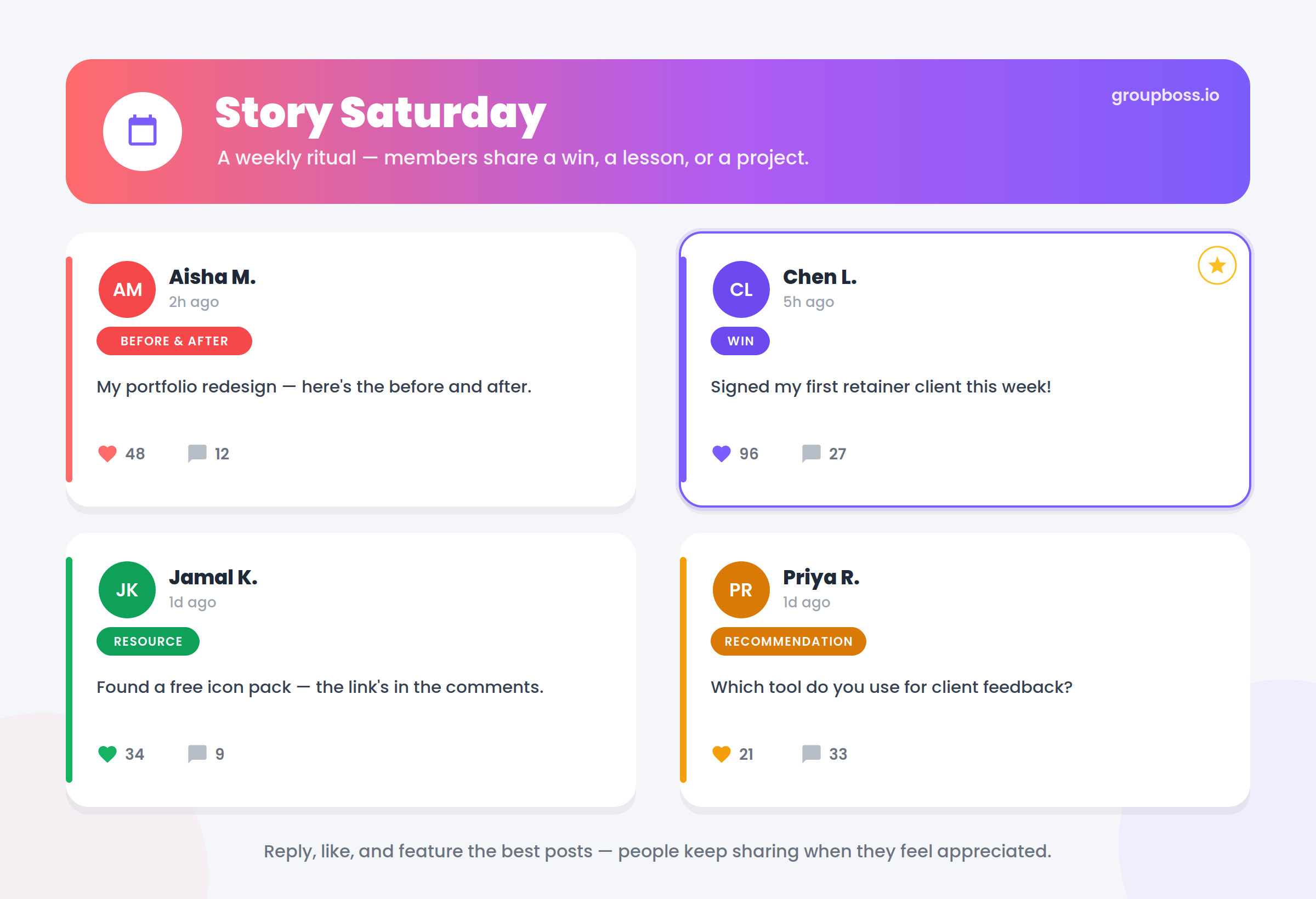
Ask members to post things like:
- Before and after and progress updates
- Wins, lessons learned, and real struggles
- Helpful resources I found
- Recommendations welcomed by the group
Give rewards to participants. Reply to participants and highlight the best posts by liking them. People keep talking when they are appreciated.
9. Apply the Cue, Routine, Reward Loop
This simple habit loop gets members returning:
- Before-and-after actions, such as “Post a photo of what you’re working on and tag me.”
- Routine: Members post.
- Reward: Respond, praise their work, or show in group
Do this over and over until it becomes a habit for your members to post. This steady beat keeps your community involved and loyal for the long haul.
10. Promote Your Group Cross-Channel
Don’t wait for people to stumble upon your group. Share it on your other social media platforms, like Instagram. Tag your group in posts and stories. Give followers a reason to join.
A short teaser is good. For example, “Join our community that doubled in size this month” provides a clear benefit and an easy invitation. This can help you reach new people and draw in followers who already know your brand.
11. Create a Safe, Moderated Environment
Make your group feel safe and welcoming. That gives members a reason to return.
- Use Admin Assist, post approval and moderation alerts to help keep the group constructive and on point.
- Deal with problems quickly, fairly and privately where possible.
- Deal quickly with spam or rule-breaking so that small problems do not become big ones.
Trusted groups are where people stay.
Last Words
To build a successful Facebook group, you need a clear purpose, the right members and steady participation over time.
Begin with the fundamentals: Define your purpose, select your privacy setting, set explicit rules, and welcome new members. Keep providing the content and conversations your members love. If you do this consistently, your group will become a group that flourishes on its own.
Choose one best practice from the list and implement it this week.
One honest recommendation: You can automatically turn new members into leads in your Facebook group! Explore more on Groupboss.io and start a free 7-day Groupboss trial.