How to Change a Facebook Group Name in 2026
This article discussed how to change a group name on Facebook. Learn to change a Facebook group name in a step by step process using computer and mobile phone.

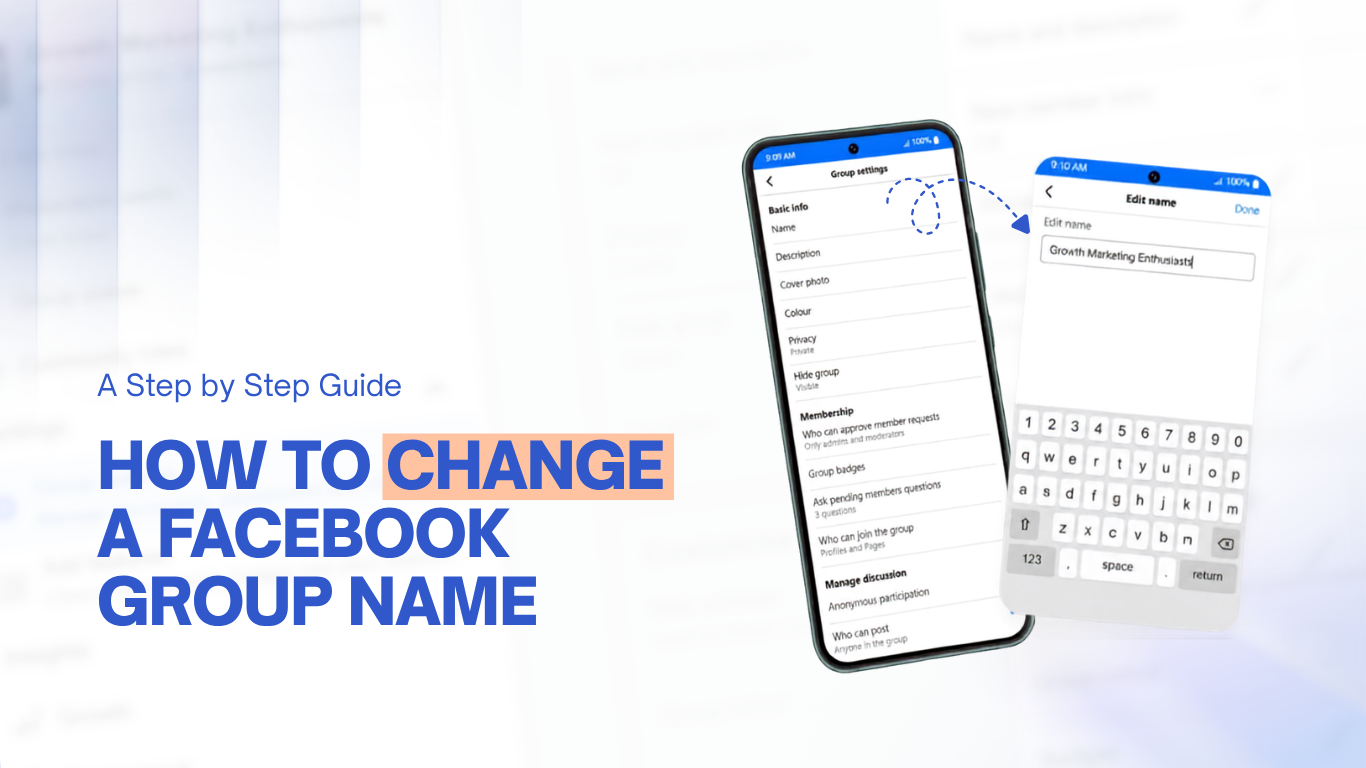
Maybe you chose your Facebook group name quickly a couple of years ago, and now it does not match what your group is about. The good news is you can change it in just a minute. However, Facebook has two important limits that many guides miss.
If you are an admin, you can change your Facebook group name from either your computer or your phone. This guide explains both methods and the rules Facebook uses. It also shares what to do after the new name is live, so the change works for you.
TL:DR
To change your Facebook group name, open the group as an admin, go to Manage, then Group settings, and edit the name and description. Only admins have this option. Facebook's Help says you can only change the name once every 28 days, but this rule is not always enforced. Many guides also mention that the option may disappear if your group has more than 5,000 members.
Before you change a Facebook group name
Two things can surprise most people, so it’s good to know about them before you make any changes.
The first is the 28-day rule. Facebook says you can only change your group name once every 28 days. But honestly, it doesn’t always work that way. If your group is small or new, you might be able to change it more often. Bigger groups usually have to wait or get reviewed. So treat the 28 days as a suggestion, not a strict rule.
The second is the 5000-member rule. You might have heard about a 5,000-member rule, but honestly, Meta hasn’t set it in stone. Some people say you can’t change your group name if you have more than 5,000 members, but there’s no official answer. For some, the option just disappears. Others get a review or have to wait a bit. It really depends.
That 5,000-member mark does lock down some things, though. For example, you can’t switch your group from private back to public after you reach it, and your custom group web address is locked, too. If your group is that big, don’t assume you can’t change the name—just try. If Facebook blocks you or sends it for review, your backup plan is to create a new group.
Here are two more things to remember:
- Changing your group name does not change the web address, so any saved links will still work.
- Also, only admins can rename a group. Moderators and regular members will not see this option.
Why you might rename your group
Most of the time, people rename their group for one of three reasons: the group's focus has changed, you are rebranding a business, or the original name was awkward, and you want something clearer and easier to find.
A clear name and a good group description help new people understand your group right away. This is important because the name is the first thing anyone sees.
Groups have become valuable, both for their role during the pandemic and for their everyday benefits. The reasons you create a Facebook group are the same reasons to give it a good name.
How to change a Facebook group name on desktop
Here are the steps from a computer.
- Open facebook.com, click Groups in the left menu, and open the group you manage.
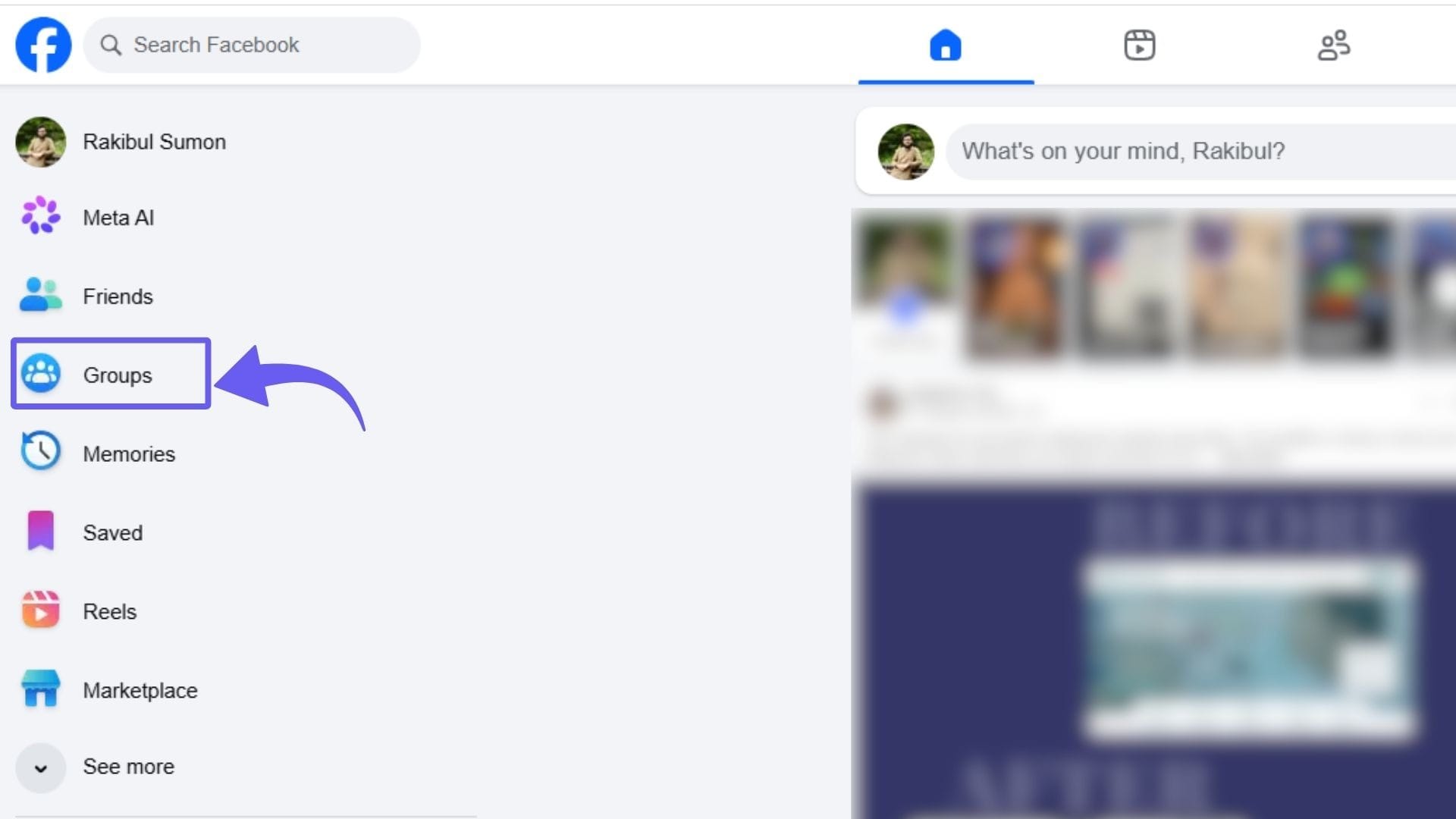
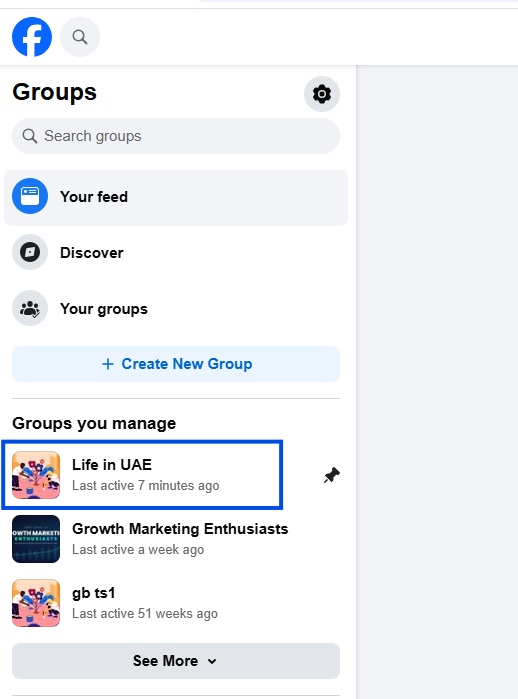
- Tap on the group that you want to change name from the list of Groups you manage.
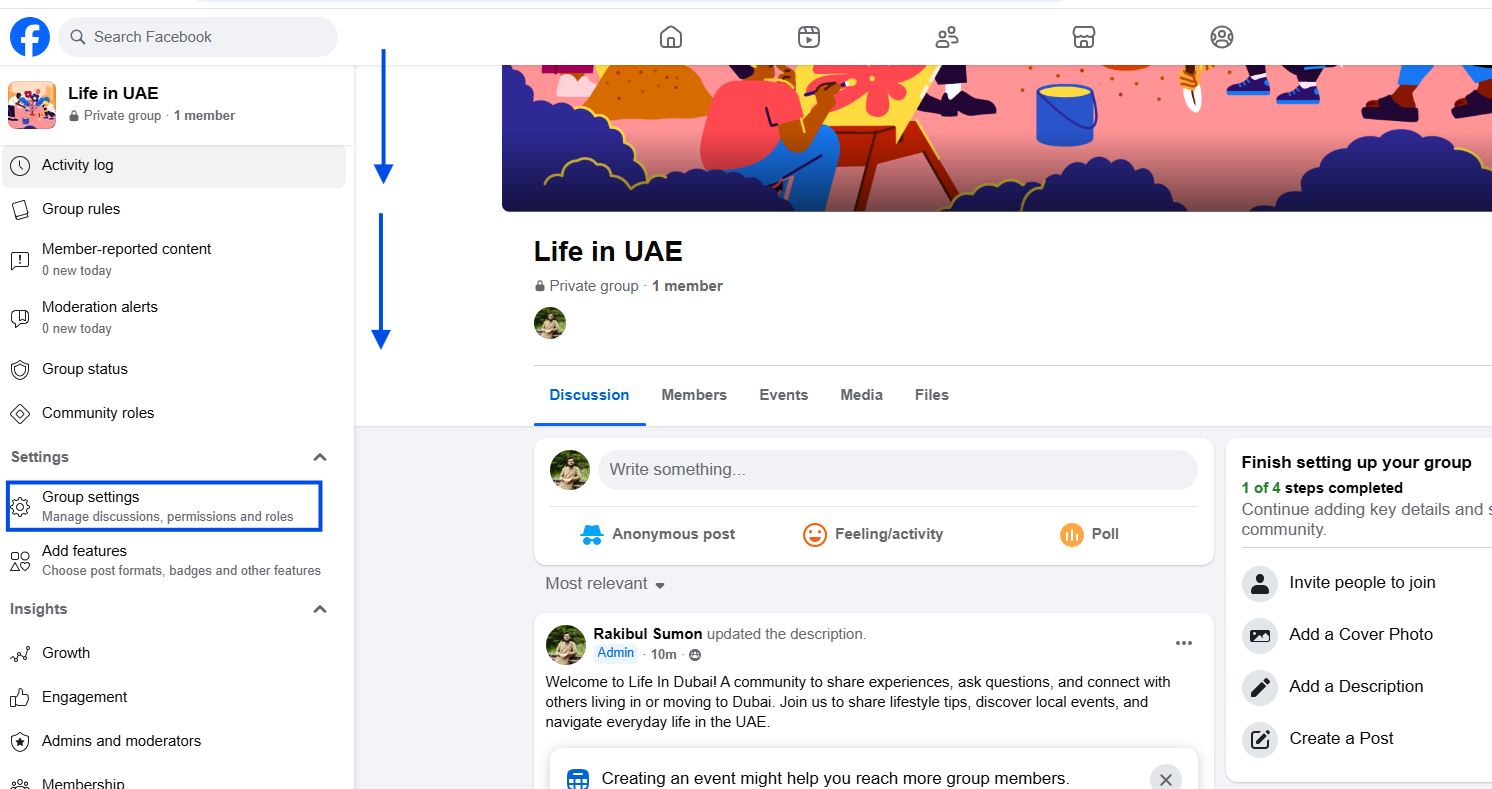
- Scroll down a little bit and look for Group settings and tap on it.
- Now click on the pen icon beside the Name and Description menu under Set up group.
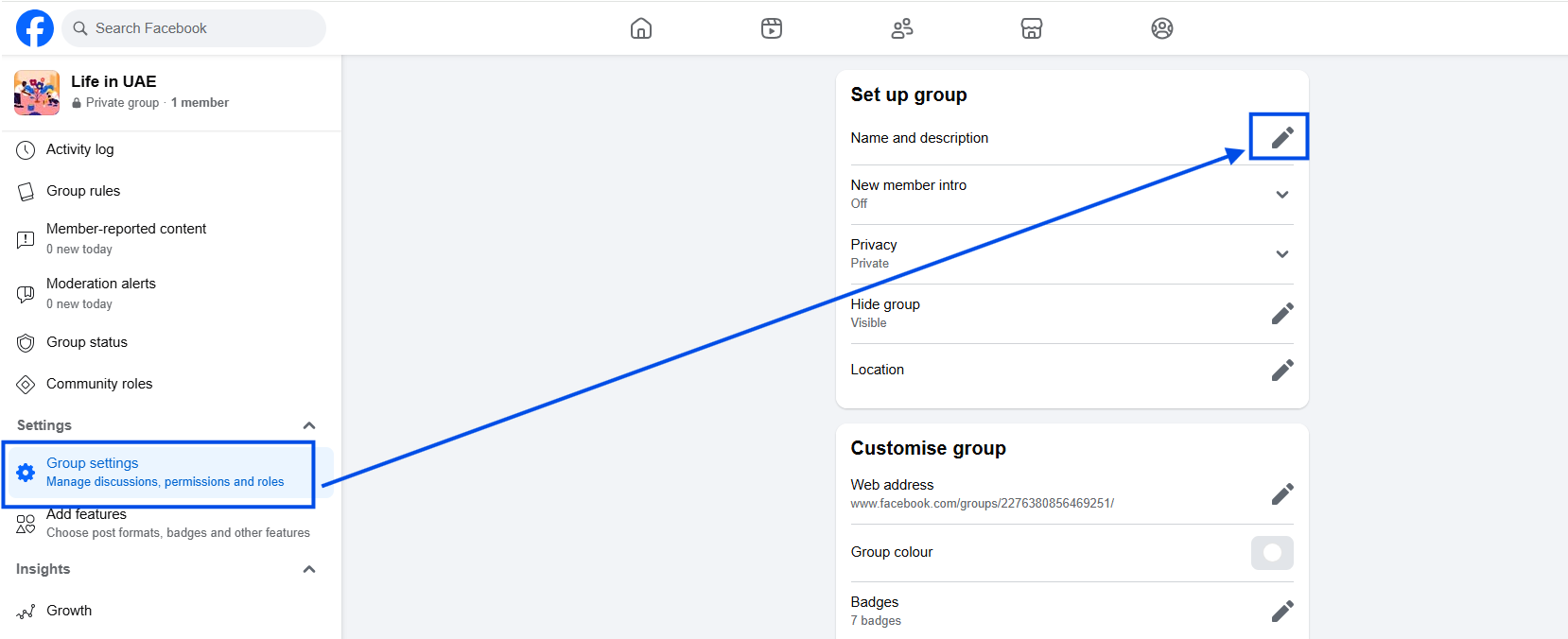
- Change the current name into anything meaningful and matching with your purpose and click Save.
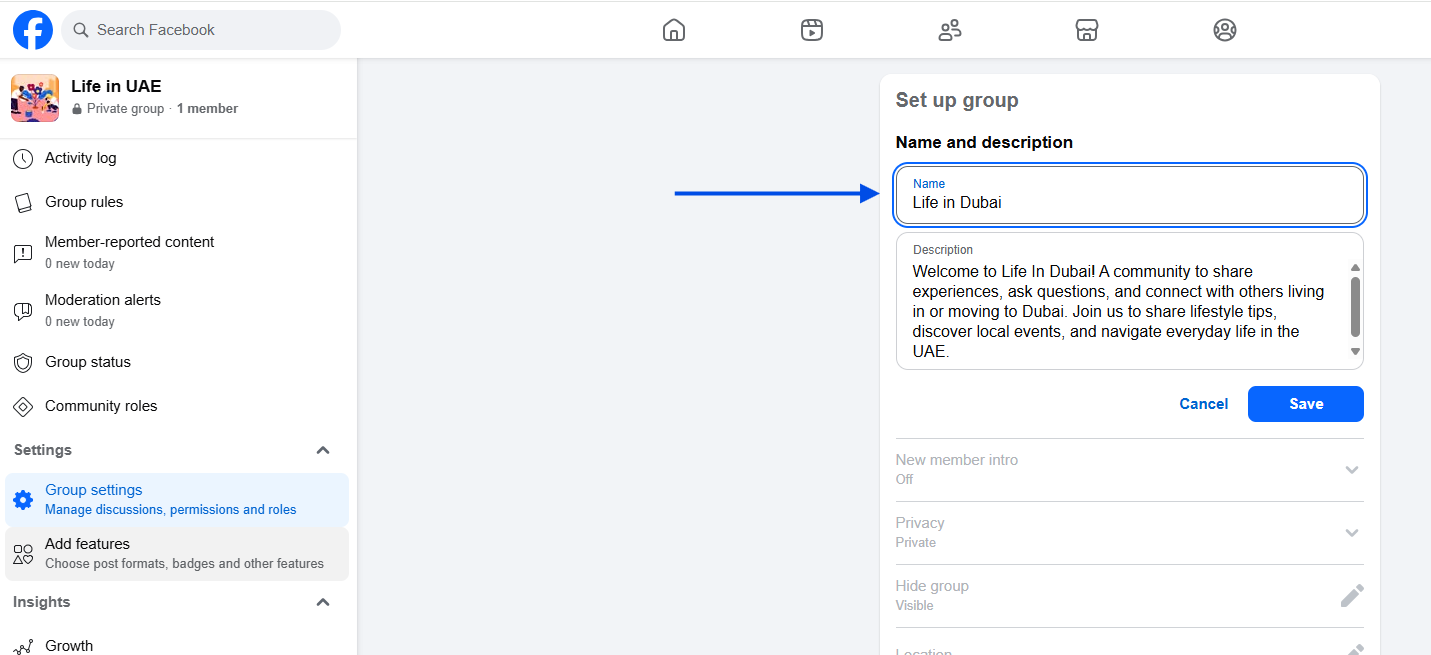
That is all you need to do on the desktop. The new name will appear for everyone immediately.
How to change a Facebook group name on mobile
The app uses a similar process, with just a few different taps.
- Open the group in the Facebook app and tap the shield or Manage icon near the top.
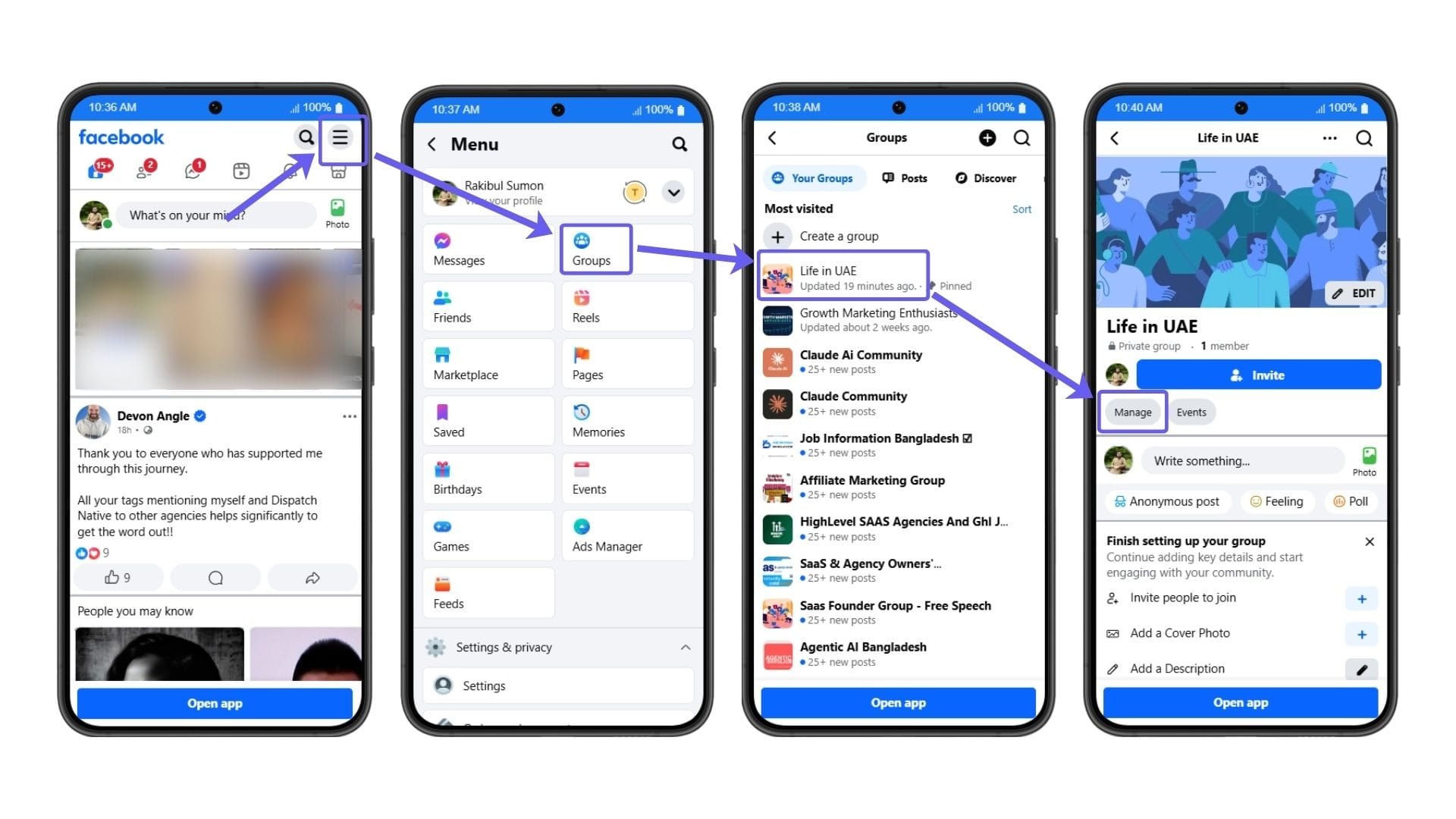
- Tap Group settings.
- Tap Name and description.
- Change the name, then tap Done in the top right.
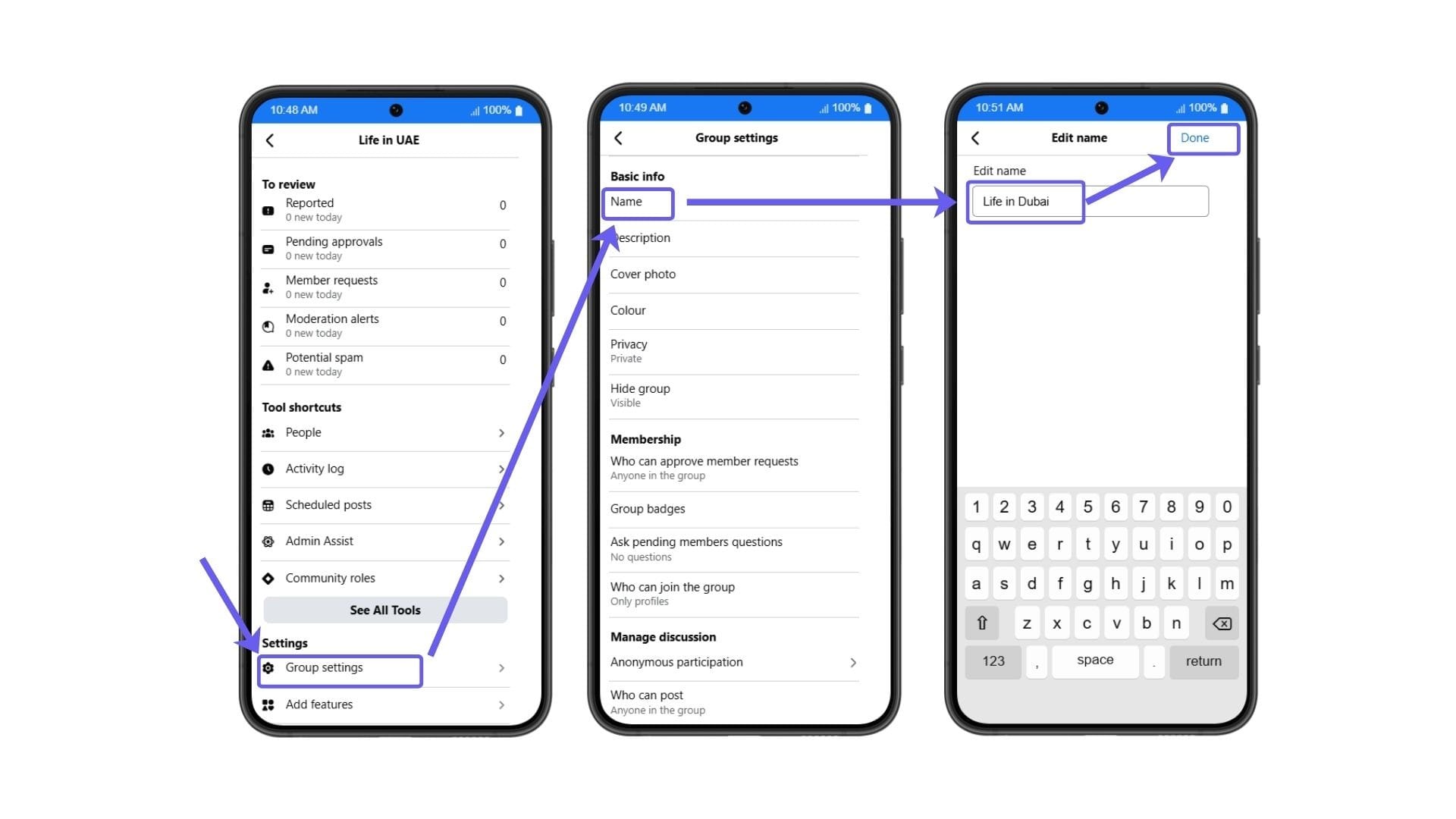
App labels can change between versions. If the wording looks different, just look for Manage, then Name and description. The steps are in the same place, even if the labels change.
What to do after you rename your group
Changing your group name is just the first step in rebranding. Do a few things to make sure the change is successful.
- Check your Facebook Group Insights to see how members respond over the next few weeks.
- Create a welcome post at the top of your group to explain the new name.
- Keep your group active by scheduling posts ahead of time.
- If you have a Facebook Page, link it with your group so both direct people to each other.
- Finally, pin a post in your group to announce the new name. This helps avoid confusion.
Use your new group name to attract new members.
Renaming your group is a good time to improve how you welcome new members. People judge the group by its name first, then by their experience when they join.
If you ask membership questions, tools like Groupboss make life easier. As you approve new members, their names, emails, and answers can go straight into a Google Sheet; you can collect unlimited leads with no need to copy anything yourself. Of course, people have to agree to share their email when they join.
Frequently asked questions
Can I change my Facebook group name anytime?
If your group is still small, you should be able to change its name without any trouble. Once you cross 5,000 members, it gets a bit unpredictable; sometimes the rename button just disappears, sometimes Facebook puts your request under review. Meta hasn’t given a clear answer. So if you’re thinking about a new name, it’s smart to do it sooner rather than later.
Who can change a Facebook group name?
Only admins. Moderators will not see the option, and regular members cannot change it. If you are unsure who the admin is, open the Members tab and scroll to Admins and moderators.
How often can I change my Facebook group name?
Facebook Help says you can change your group name once every 28 days, but this rule isn't always enforced. Many admins of smaller groups can rename more often, while larger groups usually have to wait or go through a review. Try not to change the name too often, as it can confuse your members.
Will members be notified if I change the group name?
Yes. A small note will appear in the group feed to show the update. It is not a big announcement, but it helps members notice the change, especially if the new name is very different.
Does changing the group name change the group URL?
No. The web address does not change, so any saved links will still work. If you want a custom link, that is a different setting, and it locks after your group has more than 5,000 members.
Can I use emojis in the group name?
Yes, you can use emojis, but keep the name simple and easy to search. A name that is easy to type and recognize helps new members find your group.
Choose a name you will be happy with for a long time.
Facebook often changes menu labels, so if something looks different, look for Manage, then Group settings, then Name and description. Facebook says you can only change the name every 28 days, but it doesn't always enforce this. Choose a group name you will still like in the future, not just today.
If your group name no longer fits, take a few minutes this week to open Group settings and change it. Then pin a short post explaining the change. Spending five minutes now can save your members a lot of confusion later.